Logitech Wireless Combo MK270

AUD 49.95
test
Wireless Combo MK270

The reliable wireless combo with the tiny Logitech Unifying® nano-receiver.

Long-range wireless

Long-range wireless

Logitech® Advanced 2.4 GHz wireless gives you a fast, reliable connection up to 10 meters away with virtually no delays or dropouts.*

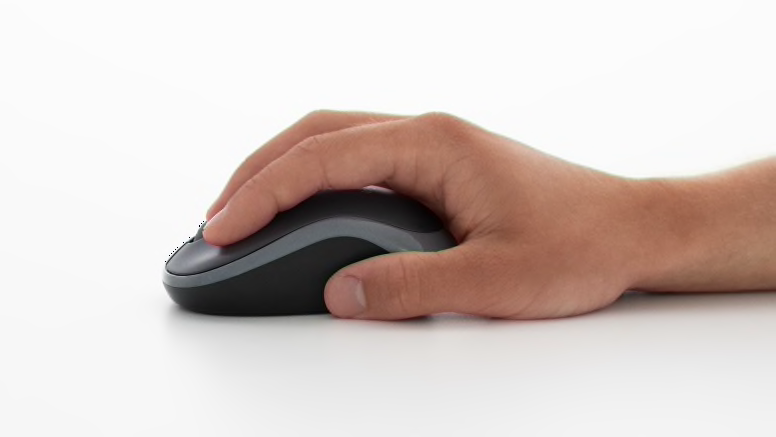
Carry-around mouse

Carry-around mouse

You can take the sleek mouse anywhere you take your computer—thanks to its comfortable size and the tiny nano-receiver.

Extended battery life

A 24-month keyboard and 12-month mouse battery life—plus on/off switches—mean you can go for months without the hassle of changing batteries.**

Big on battery life? We are, too. Learn more. >

* Wireless range may vary due to environmental and computing conditions.

Wireless Combo MK270

The reliable wireless combo with the tiny Logitech Unifying® nano-receiver and carry around mouse.


Advanced 2.4 GHz wireless

So you can work or play in more places—like your comfy couch—the wireless connection virtually eliminates delays, dropouts and interference and gives you a range of up to 10 meters*

Learn more about Logitech wireless technologies. >

Logitech Unifying receiver

The tiny receiver stays in your laptop. Plus, you can easily add a compatible wireless mouse, keyboard or number pad—without the hassle of multiple USB receivers.

Learn more about the Unifying receiver. >

Carry-around mouse

Carry-around mouse

You can take the sleek mouse anywhere you take your computer—thanks to its comfortable size and the tiny nano-receiver that stores in the mouse.

Extended battery life

A 24-month keyboard and 12-month mouse battery life—plus on/off switches—mean you can go for months without the hassle of changing batteries.**

Big on battery life? We are, too. Learn more.

Eight hot keys

The things you do most are right at your fingertips with eight hot keys for instant access to your movies, music, Internet, e-mail, play/pause, volume and more.

Change the cursor speed? Change the cursor? Change the programmable buttons? Find out more about SetPoint™ software. >

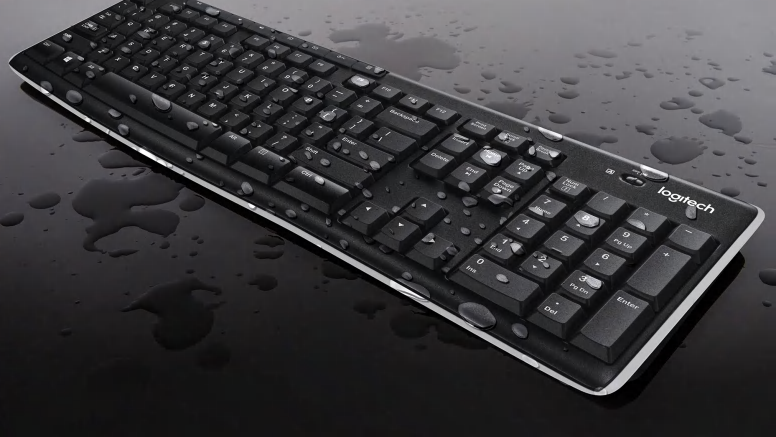
Full-size, spill-resistant keyboard

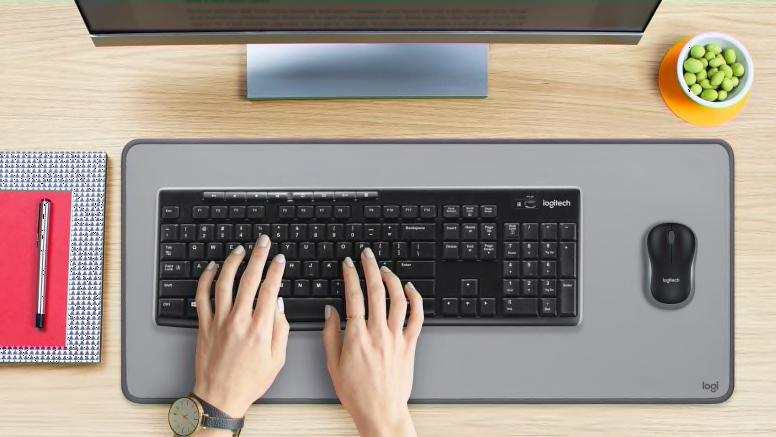
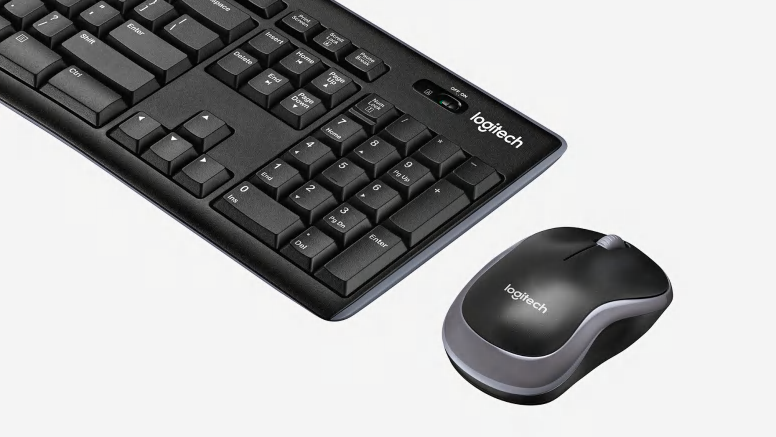
The full-size keyboard with number pad, directional keys, and nine F-keys is comfortable, convenient and built to last.

Typing can be tiring. Find out how Logitech helps you get comfortable. Learn more. >

Plug-and-play simplicity

Plug-and-play simplicity

Setup couldn’t be easier—you simply plug the wireless receiver into a USB port on your computer and you’ll be exploring QQ, shopping on Taobao and searching Baidu right away without software.

* Wireless range may vary due to environmental and computing conditions.
** Keyboard battery life calculation based on an estimated two million keystrokes/year in an office environment. User experience may vary. Mouse battery life may vary based on user and computing conditions.

Powering your wireless keyboard

More power to you

No one likes to run out of batteries. It’s a hassle. Scouring the house for new ones. Finding two that still have juice. Even making an extra trip to the store. At Logitech, we’re doing everything we can to make the hassle of replacing batteries hassle-free.


Batteries? What batteries?

Wireless keyboards let you avoid the inconvenience of cords. But unlike a corded keyboard (which is powered via USB and your computer), wireless keyboards use batteries, and batteries do run out of power.

Don’t even want to think about changing batteries? We’ve got just what you need. You can choose a keyboard with a battery life of 15 months—or even three years—and practically eliminate the hassle and expense of changing batteries.*


Charge on

If rechargeable is more your style, we’ve got those too. You just put your keyboard in its charging base. It’s that easy. (Plus it’s good for the planet.)

Check out all of our rechargeable keyboards

* Battery life calculation based on an estimated 2,000,000 keystrokes/year in an office environment. User experience may vary.

The keys to wireless convenience.

You can control your computer from across the room. And be more productive and comfortable on the go. Logitech wireless keyboards give you the freedom to do more, in more places—without the clutter of cords. From basic to Bluetooth, we’ve got plenty of options to choose from. But don’t worry—we’re here to untangle all the terminology and technology.

The power player: Advanced 2.4 GHz

For the best-of-the-best wireless connection, Logitech® Advanced 2.4 GHz wireless gives you the reliability of a cord with cordless convenience and freedom. Advanced 2.4 GHz wireless virtually eliminates delays and dropouts—even in the busiest wireless environments, such as a high-tech office.

In addition, Advanced 2.4 GHz wireless is designed to optimize battery power. (Many of our keyboards with Advanced 2.4 GHz wireless can offer up to three years of battery life.)

Your keyboard is automatically paired with your computer. So, you can use your keyboard with the most demanding applications and know that every keystroke you make will be carried out instantaneously. It uses less battery power than other wireless technologies, too

Check out all of our Advanced 2.4 GHz wireless keyboards.

Fast and reliable: 2.4 GHz

The predecessor to Advanced 2.4 GHz wireless, our basic 2.4 GHz wireless keyboards deliver wireless convenience you can count on.

Thanks to its ability to transmit data in two directions, your keyboard can save power by turning itself off when your PC is dormant. Your keyboard can even sense if there’s wireless interference and change channels to establish the most secure connection.

Have a look at all 2.4 GHz wireless keyboards.

Back to basics: 27 MHz RF

An older favourite, you can use 27 MHz RF up to six feet away from your computer.

It uses less battery power than devices that operate on higher-frequency bands. And it can keep a secret too—advanced encryption securely transmits your keyboard strokes to the computer.

Logitech® SetPoint™ software. Your keyboard, customized.

Just the way you want it

Your keyboard isn’t just for typing. Many can launch Web pages and applications, control your media, and sometimes even show you what song is playing.

With Logitech® SetPoint™ software, you can not only change the function of your keys—you can customize all sorts of things to make your keyboard work better for you.

Download SetPoint now.

Hot keys at your service

Is that hot key not so hot in your eyes? You can easily change what it does with SetPoint. You simply select your keyboard, find the hot key you want to change, and pick what you want it to do.

So you can make that unloved button open a Web page, launch your favorite program, open a file or folder, and more. Or you can assign keystrokes to it.

F-keys that function your way

You don’t have to let your F-keys push you around either. You can program them to do what you want, too. You just choose the Function Key tab and make your changes.

Blocking the lock keys

No need to fear that Caps Lock key. SetPoint lets you disable the keys you’re afraid to accidentally hit—like all those lock keys, the Insert key, and the Windows® Start key.

Battery check-up

Keeping an eye on your battery level is easy—the Battery tab lets you see how much juice you’ve got left so you’ll never be left powerless.

Making special features more special

Whether your keyboard’s got zoom buttons, an LCD, a TouchDisc, or Media Pad, SetPoint lets you set things up the way you like them. You can speed up or slow down your zoom. Tell your LCD not to bug you with message alerts when you’re listening to music. Change the pointer speed on your TouchDisc. And much more.

Need more help? Get step-by-step instructions for your keyboard.

Comfort is key with Logitech keyboards

Tap happiness

2 million keystrokes. Every day.

That’s how much the average person types every year, according to a study by Harvard. (Dennerlein 2006)

If you sit at your computer hour after hour, day after day, all those key presses can really add up. Fortunately, you can do something about it. Logitech keyboards have a variety of comfort features to help keep your body happy.


Comfort Wave Design: Curve + Wave + Palm Rest

Your fingers vary in length—but most keyboards treat them all the same. Our Wave keyboards have a gradual wave-shaped contour to support the varying lengths of your fingers and keep the pressure off your fingertips.

To keep you from having to twist into an unnatural position when you type, we threw in a curve. Gently curving rows of keys support the natural resting position of your hands without splitting the keyboard. After all, you shouldn’t have to relearn how to type to be comfortable.

A cushioned, contoured palm rest helps position your hands comfortably on the keyboard. Plus, it gives you a cushy place to rest your palms when you’re not typing.
See all Wave keyboards
Learn more about the Wave keyboard design

Perfectly PerfectStroke

Logitech PerfectStroke™ key system combines the benefits of a laptop keyboard with those of a stand-alone keyboard to give you a perfectly pleasant typing experience.

Clickety-clack. For those of you old enough to remember, it isn’t the sound of that old electric typewriter that you miss so much, it’s the way the keys felt under your fingers.


Learn more about PerfectStroke

Logitech® Unifying receiver

Plug it. Forget it. Add to it. You’ve got the Logitech® Unifying receiver.

The Unifying receiver stays in your notebook, so there’s no need to unplug it when you move around. It’s so tiny, you won’t need to worry about the receiver breaking off or getting lost.

Download Connection software now.

And it’s easy to add a compatible wireless keyboard or mouse to the same receiver. Build your ideal combo. Add something. Replace something. It’s as simple as can be and you’ll use only one USB port.

Learn more about Unifying.

Uniting your setup

Your laptop is convenient. You use it on the couch, in the kitchen, at the coffee shop—wherever you want. Logitech makes your laptop as comfortable as it is convenient with portable mice and notebook-ready keyboards.

The Logitech® Unifying receiver takes convenience a step further.

The Logitech® Unifying receiver is a tiny, leave-in wireless receiver. Smaller than most coins, the Unifying receiver not only makes it easy to use a wireless keyboard, mouse, or number pad, it also works with up to six devices.

Plug it in

With the tiny wireless receiver, there’s no need to plug and unplug when you’re on the move. Or deal with the hassle of multiple receivers. The tiny Logitech® Unifying receiver stays in your notebook and lets you add devices as you need them.

Forget about it

The Unifying receiver is small and always ready. So small, in fact, you can leave it plugged into your USB port when you’re on the move—without worrying about breaking or losing it.

Add to it

It’s fast and easy to add a compatible wireless mouse, keyboard, or number pad to your receiver. You can mix, match, upgrade, or replace up to six devices—now or in the future—using just one USB port. To connect a new device, you simply open the connection software, click “Pair new device”, and turn the device off and on. That’s it.

Download Connection software now.

A tiny dynamo

The Unifying receiver packs plenty of power. Built with Logitech® Advanced 2.4 GHz wireless connectivity, Logitech mice with the Unifying receiver give you the reliability of a cord—with the freedom of cordless. You’ll enjoy fast data transmission with virtually no delays or dropouts.

Plug it. Forget it. Add to it. You’ve got the Logitech Unifying receiver.

Compatible with Logitech® Unifying receivers

Looking for a mouse or keyboard (or number pad) that is Unifying compatible? We’ll help you find the right one.


System Requirements

  • Windows-based PC
    • Windows® XP, Windows Vista® or Windows® 7 USB port


Warranty Information

  • 3-year limted hardware warranty

Package Contents

  • Keyboard
  • Mouse
  • USB receiver
  • USB range extender
  • 2 AAA (keyboard) and 2 AA (mouse) batteries
  • User documentation

Part Number

  • PN 920-004498
  • See our Special Offers

    Check out our Special Offers on Logitech.com, save on Bundles and more!
    Learn More

    Navigate the possibilities

    Unlock the power of Windows 8 with these new touch devices. Learn more