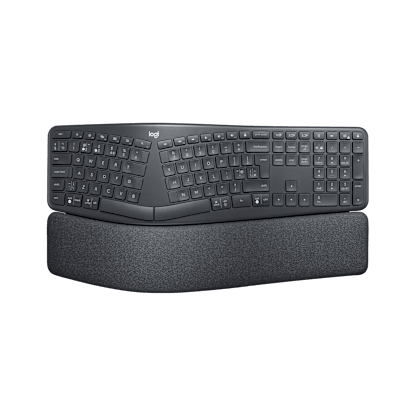



Wireless Solar Keyboard K750 for Mac

GBP 69.99
test
Wireless Solar Keyboard K750 Silver for Mac
Available colours
See more images

Powered by light—even indoors—this keyboard makes battery hassles a thing of the past. Now, made for your Mac.

Powered by light

Good-bye, battery hassles. Light keeps your keyboard charged and ready—even indoors.

Watch the video

Very thin

Very thin

Your desk is about to get sleeker thanks to this streamlined keyboard.

Familiar Mac layout

Mac key layout

Everything is exactly where you expect it to be—and it all works right out of the box, with no software installation required.

Logitech Solar App

Want to know how much battery power you have? Or how much power you’re getting from your desk lamp? The Logitech Solar App can help.

Learn more about the Logitech Solar App

More power

You pop the tiny Logitech Unifying receiver in your notebook and leave it there. You can even add more devices. Plug it. Forget it. Add to it. Learn more about the Logitech Unifying receiver.

Learn more about Unifying

Download Unifying Software

Wireless Solar Keyboard K750 Silver for Mac

Powered by light—even indoors—this keyboard makes battery hassles a thing of the past in a streamlined, comfortable design. Now, made for your Mac.

Light-powered keyboard

Light-powered keyboard

It doesn’t get easier than this. The light-powered keyboard works where you do—your house, your office, your hotel room. It charges itself with lamplight or sunlight, indoors or outdoors.

And on a full charge it works for at least three months—even in total darkness. Which means that you can say good-bye to battery hassles.

Only 1/3 -inch thick

Only 1/3 -inch thick

With sleek lines and a thin profile, this stylish, streamlined keyboard adds style to your workspace—whether you’ve got a laptop or desktop.

Familiar Mac layout

Familiar Mac layout

All the keys are exactly where you expect them to be, including music and brightness controls, command keys and the eject key. And it all works right out of the box. No software installation required.

Feel-good typing

Feel-good typing

Combining the best of traditional keyboards, laptops and a Logitech-only concave key cap design, you’ll enjoy faster, quieter, feel-good typing—hour after hour.

Advanced 2.4 GHz wireless

So you can work or play in more places—like your comfy couch—the long-range wireless connection virtually eliminates delays, dropouts and interference.

Learn more about Logitech wireless technologies.

Small steps, bright future

Small steps, bright future

From the PVC-free construction to the fully recyclable box, this keyboard is designed to minimize its footprint.

Plug-and-play simplicity

Plug-and-play simplicity

Setup takes seconds—you simply plug the wireless receiver into a USB port on your computer and start using your keyboard right away without software.

Logitech Unifying receiver

The tiny receiver stays in your laptop. Plus, you can easily add a compatible wireless mouse or keyboard—without the hassle of multiple USB receivers.

Learn more about the Unifying receiver.

The keys to wireless convenience.

You can control your computer from across the room. And be more productive and comfortable on the go. Logitech wireless keyboards give you the freedom to do more, in more places—without the clutter of cords. From basic to Bluetooth, we’ve got plenty of options to choose from. But don’t worry—we’re here to untangle all the terminology and technology.

The power player: Advanced 2.4 GHz

For the best-of-the-best wireless connection, Logitech® Advanced 2.4 GHz wireless gives you the reliability of a cord with cordless convenience and freedom. Advanced 2.4 GHz wireless virtually eliminates delays and dropouts—even in the busiest wireless environments, such as a high-tech office.

In addition, Advanced 2.4 GHz wireless is designed to optimize battery power. (Many of our keyboards with Advanced 2.4 GHz wireless can offer up to three years of battery life.)

Your keyboard is automatically paired with your computer. So, you can use your keyboard with the most demanding applications and know that every keystroke you make will be carried out instantaneously. It uses less battery power than other wireless technologies, too

Check out all of our Advanced 2.4 GHz wireless keyboards.

Fast and reliable: 2.4 GHz

The predecessor to Advanced 2.4 GHz wireless, our basic 2.4 GHz wireless keyboards deliver wireless convenience you can count on.

Thanks to its ability to transmit data in two directions, your keyboard can save power by turning itself off when your PC is dormant. Your keyboard can even sense if there’s wireless interference and change channels to establish the most secure connection.

Have a look at all 2.4 GHz wireless keyboards.

Logitech® Unifying receiver

Plug it. Forget it. Add to it. You’ve got the Logitech® Unifying receiver.

The Unifying receiver stays in your notebook, so there’s no need to unplug it when you move around. It’s so tiny, you won’t need to worry about the receiver breaking off or getting lost.

Download Connection software now.

And it’s easy to add a compatible wireless keyboard or mouse to the same receiver. Build your ideal combo. Add something. Replace something. It’s as simple as can be and you’ll use only one USB port.

Learn more about Unifying.

Uniting your setup

Your laptop is convenient. You use it on the couch, in the kitchen, at the coffee shop—wherever you want. Logitech makes your laptop as comfortable as it is convenient with portable mice and notebook-ready keyboards.

The Logitech® Unifying receiver takes convenience a step further.

The Logitech® Unifying receiver is a tiny, leave-in wireless receiver. Smaller than most coins, the Unifying receiver not only makes it easy to use a wireless keyboard, mouse, or number pad, it also works with up to six devices.

Plug it in

With the tiny wireless receiver, there’s no need to plug and unplug when you’re on the move. Or deal with the hassle of multiple receivers. The tiny Logitech® Unifying receiver stays in your notebook and lets you add devices as you need them.

Forget about it

The Unifying receiver is small and always ready. So small, in fact, you can leave it plugged into your USB port when you’re on the move—without worrying about breaking or losing it.

Add to it

It’s fast and easy to add a compatible wireless mouse, keyboard, or number pad to your receiver. You can mix, match, upgrade, or replace up to six devices—now or in the future—using just one USB port. To connect a new device, you simply open the connection software, click “Pair new device”, and turn the device off and on. That’s it.

Download Connection software now.

A tiny dynamo

The Unifying receiver packs plenty of power. Built with Logitech® Advanced 2.4 GHz wireless connectivity, Logitech mice with the Unifying receiver give you the reliability of a cord—with the freedom of cordless. You’ll enjoy fast data transmission with virtually no delays or dropouts.

Plug it. Forget it. Add to it. You’ve got the Logitech Unifying receiver.

Compatible with Logitech® Unifying receivers

Looking for a mouse or keyboard (or number pad) that is Unifying compatible? We’ll help you find the right one.

Logitech Solar App. The power is in your hands.

Solar powered     


This simple software utility tells you everything you need to know to keep your keyboard charged and ready—from low-power warnings to tips on how to boost your reserves to how much power your lights are actually providing.

Track your power

Want to make sure your keyboard is always ready when you are? The Solar App shows you your current status and whether your power reserve is increasing or decreasing—so you’ll know when your keyboard isn’t getting enough light. 

 
And don’t worry—you’ll get plenty of warning when your reserve is getting low so you’ll have time for a little light intervention. 

Solar charging 101

Need help figuring out how to keep your keyboard’s energy reserve healthy? Just click the link in the status message to learn simple things you can do to improve your current power situation.
 

Check your lux

Whether you’re getting the full power of a high-watt desk lamp or just the faint light of the moon, the lux meter will let you know how much power your light source is providing at any time. Combine this with the lux suggestions for your current status and you’ll have all the info you need to keep typing to your heart’s content..

Click here to download the Logitech Solar App for Windows >>


Click here to download the Logitech Solar App for Mac >>

      Solar App


System Requirements

    • Mac OS X 10.5 or later
    • USB port
    • Light source from sunlight and/or indoor lighting


Warranty Information

  • 3-year limited hardware warranty

Package Contents

  • Keyboard
  • Logitech Unifying receiver
  • Wireless extender

Mac is a trademark of Apple, Inc., registered in the U.S and other countries.

Part Number

  • PN 920-003492
  • PN 920-003491
  • Find a Store Near You

    Enter your postal code to find stores that carry Logitech products.


    Find a Product Online

    This product is available at the following websites:


    Special Offers

    Check out our best offers on Logitech.com and save on Blemished Box products, Close outs, Bundles and more! Save now

    Logitech Ultrathin Keyboard Cover

    Designed to impress, type in style — The perfect partner for your iPad. Learn More

    Wireless Solar Keyboard K750 for Mac

    Select A Color