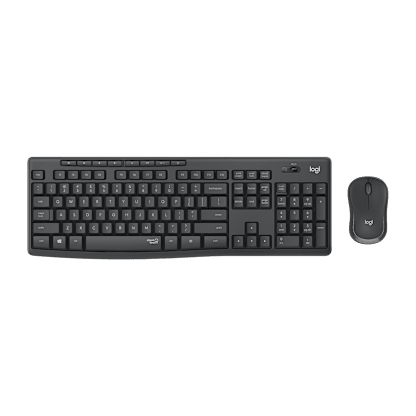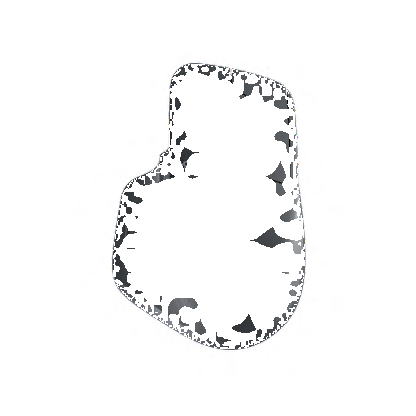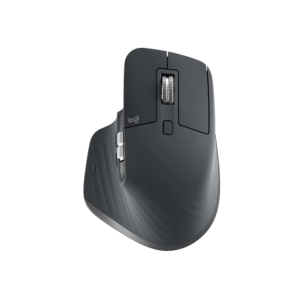

Logitech T620 Touch Mouse
Sapu, scroll, ketuk, dan klik permukaan sentuh.
Sentuh ke segala arah untuk produktivitas maksimum dan navigasi sentuh berdasarkan insting
T620 Touch Mouse
Tonton bagaimana Anda dapat menguasai Windows® 8 dengan enam gerakan sentuhan untuk navigasi yang cepat.
Tonton video
Permukaan sentuh menyeluruh untuk kontrol yang mulus dan akurat.
Alami navigasi yang cepat dan lancar setiap kali jari Anda mengenai permukaan sentuh yang sangat responsif. Sapu, scroll, ketuk, dan klik dengan mudah untuk pengalaman yang lebih efisien dan produktif.
Biarkan jari Anda merasa nyaman.
Dengan kurva dirancang-untuk-kenyamanan, mouse sentuh bergaya ini menghadirkan penggunaan dan gerakan yang nyaman hingga berjam-jam lamanya.
Dengan cepat mengakses layar Start pada Windows® 8
Dengan mudah mengakses aplikasi favorit Anda pada layar Start di Windows 8 dengan gerakan yang sederhana.
Satu atau dua baterai membuat perbedaan
Anda bisa menggunakan satu baterai AA untuk mouse yang lebih ringan serta usia baterai tiga bulan*; atau dua AA agar terasa lebih kokoh dan mendapatkan masa pakai selama enam bulan.** Anda juga bisa menggunakan baterai isi ulang.
Teknologi Advance Logitech
Tancapkan. Lupakan. Tambahkan. Kontrol yang Dapat Disesuaikan
Receiver unifying menghubungkan hingga enam perangkat yang kompatibel. Pelajari selengkapnya
Nirkabel 2.4 GHz terkini
Tidak perlu lagi kabel, dan nikmati kebebasan nirkabel.
Pelajari selengkapnya
Penelusuran Optik Advanced Logitech
Nikmati tindakan tunjuk dan klik yang tepat.
Pelajari selengkapnya
Personalisasi dengan perangkat lunak opsional Logitech SetPoint™.
Pelajari selengkapnya
*Usia baterai mungkin bervariasi, berdasarkan kondisi penggunaan dan komputasi.
**Mementingkan usia baterai? Kami pun begitu. Pelajari selengkapnya.
Mouse battery life. What’s in a number?
|
If you love the convenience of long battery life, Logitech mice will make you happy. In fact, the Logitech® Marathon Mouse M705 will last you up to three years without a trip to the store for two AAs. |
Behind the numbersMouse battery life isn’t a one-size-fits-all number. It varies more from person to person than just about any other battery-powered device. And there’s no industry standard for calculating it. We do our best to come up with a battery life that a typical user can expect to get. But this can vary greatly depending on your situation. A light user might get over three years of battery life with a mouse, while a very heavy user might only get one year with the same mouse. |
|
|
The big factorsThere are a lot of variables that can affect the battery life of your mouse. While there’s no magic formula to figure out exactly how long your batteries will last, knowing the main factors can help you get a better idea of what to expect—and in some cases help you go longer between battery changes.
Looking for a mouse with a battery life so long you won’t remember the last time you changed batteries? Check out our mice with extended battery life. |
Logitech® Unifying receiver
|
Plug it. Forget it. Add to it. You’ve got the Logitech® Unifying receiver. |
|
And it’s easy to add a compatible wireless keyboard or mouse to the same receiver. Build your ideal combo. Add something. Replace something. It’s as simple as can be and you’ll use only one USB port. |
Uniting your setupYour laptop is convenient. You use it on the couch, in the kitchen, at the coffee shop—wherever you want. Logitech makes your laptop as comfortable as it is convenient with portable mice and notebook-ready keyboards. |
Plug it inWith the tiny wireless receiver, there’s no need to plug and unplug when you’re on the move. Or deal with the hassle of multiple receivers. The tiny Logitech® Unifying receiver stays in your notebook and lets you add devices as you need them. |
Forget about itThe Unifying receiver is small and always ready. So small, in fact, you can leave it plugged into your USB port when you’re on the move—without worrying about breaking or losing it. |
Add to itIt’s fast and easy to add a compatible wireless mouse, keyboard, or number pad to your receiver. You can mix, match, upgrade, or replace up to six devices—now or in the future—using just one USB port.
To connect a new device, you simply open the connection software, click “Pair new device”, and turn the device off and on. That’s it. |
A tiny dynamoThe Unifying receiver packs plenty of power. Built with Logitech® Advanced 2.4 GHz wireless connectivity, Logitech mice with the Unifying receiver give you the reliability of a cord—with the freedom of cordless. You’ll enjoy fast data transmission with virtually no delays or dropouts. |
Compatible with Logitech® Unifying receiversLooking for a mouse or keyboard (or number pad) that is Unifying compatible? We’ll help you find the right one. |
Gerakan Windows® 8
Klik


Navigasi


Shortcut Windows 8

Layar Start pada Windows 8
Ketuk dua kali 2/3 bagian bawah permukaan sentuh dengan satu jari
Lihat gerakannya

Tampilkan/Sembunyikan desktop
Ketuk dua kali 2/3 bagian bawah permukaan sentuh dengan 2 jari
Lihat gerakannya
Mengindikasikan gerakan yang mengharuskan perangkat lunak Logitech SetPoint Perangkat lunak tersedia di www.logitech.com/download
Wireless mice. Cut the cord.
|
You don’t have to stay tied to your desk. Or live with the chaos of cords. |
The power player: Advanced 2.4 GHzLogitech Advanced 2.4 GHz wireless delivers even more robust, reliable performance than ever before, effectively eliminating delays and dropouts (compared to conventional 2.4 GHz and 27 MHz wireless technologies). |
Just plain easy: Bluetooth®No dongle, no cord—Bluetooth® mice give you a hassle-free connection to your Bluetooth-enabled computer. |
Back to basics: 27 MHzFor a basic wireless connection, 27 MHz wireless technology is reliable. You can use it up to six feet away with less chance of interference in your home or small office because the band isn’t widely used. |
Logitech® Advanced Optical Tracking: More Mousing on More Surfaces
|
From Amazon® to Netflix® to Facebook® , the computer has become the hub of entertainment and information. But in order to enjoy all computers and the Internet have to offer, you need something to help you navigate through this vast digital world. That’s where the trusty computer mouse comes in. |
Tracking innovation: It’s all about the anglesWhen Logitech engineers sought to improve the performance of optical technology on these glossy surfaces, they took inspiration from laser mice—which offer more precision on more surfaces than their optical counterparts. |
|
|
Building a better (optical) mouseWhile Logitech Advanced Optical Tracking uses LED light, we’ve moved the sensor from a position perpendicular to the surface to an angle similar to that of a laser mouse. Logitech mice with Advanced Optical Tracking look for scattered light from the specular (or reflective) direction—like a laser mouse—instead of capturing light from above—like standard optical mice. |
Get into your digital worldIf you think about it for a moment, when you have a mouse that tracks on more surfaces and gets a better battery life, then you can forget about the tools (i.e., the mouse) that help you get into your what you love more, and focus more on what you love. While that might not be sexy, we think it’s pretty important. Logitech Advanced Optical Tracking.Better tracking, better battery life. Better mousing when you’re getting into your digital world. |
|
|
|
Kebutuhan Sistem
-
- Kompatibel dengan Windows® 8 atau Windows® 7
- Dapat dijalankan dengan Windows® RT
- Port USB
- koneksi internet (untuk mengunduh perangkat lunak)
Informasi Garansi
- Jaminan perangkat keras terbatas 3 tahun
Isi Kemasan
- Mouse
- Receiver Unifying Logitech
- 2 baterai AA
- Tas perjalanan
- Dokumentasi pengguna
Part Number
- PN 910-003346


Ganti Lokasi