




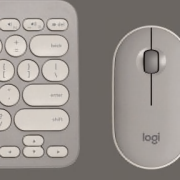

PerfectStroke™ key system. Your typing experience made near perfect.
Tapping into your needs
Clickety-clack. Remember that sound? The old electric typewriter. If you are old enough to remember, it isn’t just the clickety-clack that you probably miss so much. Rather, it’s the way the keys felt under your fingers.
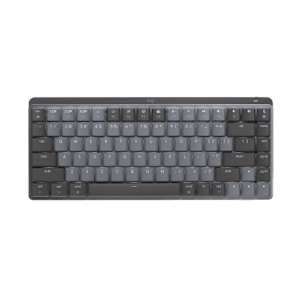
It’s a desire to create an unforgettable typing experience that drove us to create Logitech® PerfectStroke™ key system. PerfectStroke combines the best of laptop and stand-alone keyboards to help make every key stroke smooth, comfortable, and whisper-quiet.
See all keyboards with PerfectStroke
The perfect blend
Traditional computer keyboards and laptop keyboards each have their benefits. Stand-alone keyboards generally use keys with longer, more comfortable key travel. Notebook keyboards have shorter key travel, but use a scissor-key mechanism that makes the response faster, compared to standard keyboards.
We figured why not give you the best of both worlds? PerfectStroke creates the perfect blend of laptop and traditional keyboards by combining the smooth action of notebook keys and the comfort of traditional keyboards.
Smooth moves
You don’t strike the keys perfectly every time. Sometimes, you might just catch the edge of a key. With PerfectStoke, you won’t feel the difference. Precision micro-scissors distribute force evenly across key surfaces so every keystroke you make is natural and fluid - even the imperfect ones.
Travel in comfort
With a typical notebook keyboard, your fingers have to travel 2.2 mm to activate a key. Most desktop keyboards, on the other hand, have a much more comfortable key travel of 3.5 mm to 4 mm. We gave our PerfectStroke keyboards a 3.2 mm key travel - so you can enjoy silent, responsive typing that’s comfortable too.
Powering your wireless keyboard
More power to you
No one likes to run out of batteries. It’s a hassle. Scouring the house for new ones. Finding two that still have juice. Even making an extra trip to the store. At Logitech, we’re doing everything we can to make the hassle of replacing batteries hassle-free.
Batteries? What batteries?
Wireless keyboards let you avoid the inconvenience of cords. But unlike a corded keyboard (which is powered via USB and your computer), wireless keyboards use batteries, and batteries do run out of power.
Don’t even want to think about changing batteries? We’ve got just what you need. You can choose a keyboard with a battery life of 15 months—or even three years—and practically eliminate the hassle and expense of changing batteries.*
Learn more about the Logitech® Wireless Keyboard K350, featuring a three-year battery life.
Charge on
If rechargeable is more your style, we’ve got those too. You just put your keyboard in its charging base. It’s that easy. (Plus it’s good for the planet.)
Check out all of our rechargeable keyboards
* Battery life calculation based on an estimated 2,000,000 keystrokes/year in an office environment. User experience may vary.
The keys to wireless convenience.
You can control your computer from across the room. And be more productive and comfortable on the go. Logitech wireless keyboards give you the freedom to do more, in more places—without the clutter of cords.
From basic to Bluetooth, we’ve got plenty of options to choose from. But don’t worry—we’re here to untangle all the terminology and technology.
The power player: Advanced 2.4 GHz
For the best-of-the-best wireless connection, Logitech® Advanced 2.4 GHz wireless gives you the reliability of a cord with cordless convenience and freedom. Advanced 2.4 GHz wireless virtually eliminates delays and dropouts—even in the busiest wireless environments, such as a high-tech office.
In addition, Advanced 2.4 GHz wireless is designed to optimize battery power. (Many of our keyboards with Advanced 2.4 GHz wireless can offer up to three years of battery life.)
Your keyboard is automatically paired with your computer. So, you can use your keyboard with the most demanding applications and know that every keystroke you make will be carried out instantaneously. It uses less battery power than other wireless technologies, too
Check out all of our Advanced 2.4 GHz wireless keyboards.
Fast and reliable: 2.4 GHz
The predecessor to Advanced 2.4 GHz wireless, our basic 2.4 GHz wireless keyboards deliver wireless convenience you can count on.
Thanks to its ability to transmit data in two directions, your keyboard can save power by turning itself off when your PC is dormant. Your keyboard can even sense if there’s wireless interference and change channels to establish the most secure connection.
Have a look at all 2.4 GHz wireless keyboards.
Find a Store Near You
Enter your ZIP code to find stores that carry Logitech products.
Find a Product Online
This product is available at the following websites: