



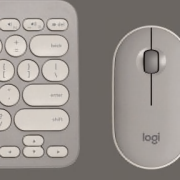
The speed you need. The control you crave.
Speed demon
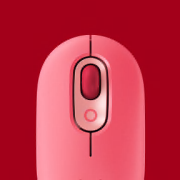
The rechargeable laser mouse lets you speed through documents or navigate with smooth precision.
Screen play
An integrated LCD lets you do more—like play music and use the calculator—right from your keyboard.
Far ranging
You can work or play where you want with long-range, reliable Bluetooth® 2.0 technology that’s simple to setup.
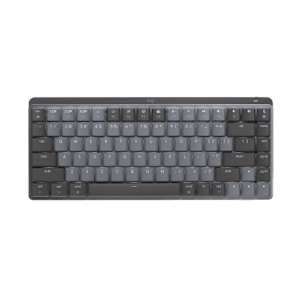
A laser mouse with hyper-fast scrolling and a keyboard with an integrated LCD give you the speed you need. And the control you crave.
Premium rechargeable laser mouse
The MX™ Revolution mouse features a motorized, smart scroll wheel and rapid-charging rechargeability.
Dynamic keyboard display
With the integrated LCD, you can play music, use the calculator, receive incoming message notifications, check the time and date, and more.
Bluetooth® 2.0 technology
You’ll enjoy a reliable wireless connection from up to 30 feet with virtually no interference. And it’s pre-configured, so you’ll be ready to go right away.
Ergonomic mouse design
Because you push yourself to the max, this mouse is designed to help minimize hand fatigue. Comfortable hands like comfortable mice.
Deep thumb scoop
You can hold this mouse with ease—the thumb scoop makes it easy not to squeeze.
Hyper-fast scrolling
You’ll fly through long documents and Web pages with just a flick of the nearly frictionless scroll wheel. Excited about hyper-fast scrolling?
Soft-touch palm rest
The palm rest helps position your hands comfortably on the keyboard—and offers a comfortable place to rest your palms when you’re not typing.
Zero Degree Tilt™
The flat keyboard design creates a natural typing feel that keeps you comfortable even after long hours. Typing can be tiring. Find out how Logitech helps you get comfortable.
Comfort is key with Logitech keyboards
Tap happiness
2 million keystrokes. Every day.
That’s how much the average person types every year, according to a study by Harvard. (Dennerlein 2006)
If you sit at your computer hour after hour, day after day, all those key presses can really add up. Fortunately, you can do something about it. Logitech keyboards have a variety of comfort features to help keep your body happy.
Comfort Wave Design: Curve + Wave + Palm Rest
Your fingers vary in length—but most keyboards treat them all the same. Our Wave keyboards have a gradual wave-shaped contour to support the varying lengths of your fingers and keep the pressure off your fingertips.
To keep you from having to twist into an unnatural position when you type, we threw in a curve. Gently curving rows of keys support the natural resting position of your hands without splitting the keyboard. After all, you shouldn’t have to relearn how to type to be comfortable.
A cushioned, contoured palm rest helps position your hands comfortably on the keyboard. Plus, it gives you a cushy place to rest your palms when you’re not typing.
See all Wave keyboards
Learn more about the Wave keyboard design
Zero Degree Tilt™: A real natural
Chances are your standard keyboard makes you take some non-standard positions. You see, traditional keyboards have higher keys in the back than the front, causing you have to angle your palms and fingers upward.
Our keyboards with Zero Degree Tilt™, on the other hand, have a flat design that lets your wrists stay in a more neutral position while you type. You won’t need to extend your wrists as much, either.
Perfectly PerfectStroke
Logitech PerfectStroke™ key system combines the benefits of a laptop keyboard with those of a stand-alone keyboard to give you a perfectly pleasant typing experience.
Clickety-clack. For those of you old enough to remember, it isn’t the sound of that old electric typewriter that you miss so much, it’s the way the keys felt under your fingers.
Mice you can get comfortable with
It all adds up
Do you spend a lot of time with your mouse? Repeating the same hand and arm movements over and over again hundreds, if not thousands, of times a day? Even the littlest difference in design can make a big difference in your comfort.
Logitech mice have all sorts of features that help increase your comfort and help reduce the amount of movement, effort, and strain needed to get around your computer.
A natural fit
If your hand had a choice in the matter, it would naturally take the angle of a handshake when your arm is bent.
We figured nature might be on to something and created mice that are sculpted and sloped to let your hand take a more comfortable, handshake-like position. And that means your hand can relax.
A better grip
You lift and move your mouse again and again, all day long. If it’s hard to hold, it’s going to put a little extra strain on your hand. But don’t worry—we added non-slip rubber grips to many of our mice to increase friction and make it easier for you to hold and grab your mouse without squeezing.
All about angles
Extending your wrists and flexing your fingers for hours may not feel so good. That’s why we make low-profile mice that reduce the angle you need to extend your wrist. And we carefully place controls so that most hands can use them without flexing fingers more than 45 degrees.
Navigating to comfort
Comfort features aren’t the only ones that help your hand out. If you can get where you want to go faster, your hand does less work. Less work equals more comfort.
Hyper-fast scrolling lets you fly through 10,000 lines of a spreadsheet with a single spin of the nearly frictionless wheel—something that would take 1,000 spins and seven minutes to do with a traditional scroll wheel. In the long run, that’s a whole lot less work that your finger has to do.
Want more time-saving controls that can save your hand, too? Side-to-side scrolling plus zoom, application switching, and Forward and Backward buttons all help you do more things with less effort.
Smooth moves
Is your mouse fighting your moves? We’ve got mice with slick, low-resistance feet that allow them to glide more smoothly than your average mouse. When your mouse resists less, you don’t need to work as hard.
The easy track
You can even choose a mouse that doesn’t make you move very much at all. A trackball mouse stays in one place—you just move the ball with your finger or thumb. Plus, customizable buttons help you do more, more easily.
Hyper-fast scrolling
One spin is all it takes
Scroll. Lift finger. Repeat. And repeat. And repeat.
Sound familiar? If you’re tired of inch-worming through long documents and Web pages, take hyper-fast scrolling for a spin to fly instead of crawl.
Scroll a lot?
Your spreadsheets and documents are getting longer. Your digital photo and music libraries are bursting at the seams. And you’re glued to long Web pages that have you scrolling and scrolling and …. To get through it all, you’re doing a whole lot of scrolling. We’re talking 26 feet of it in your average eight-hour day, according to a Logitech study.
That’s where hyper-fast scrolling comes in.
From zero to line 10,000 in 7 seconds
When you need to do some long-distance scrolling, hyper-fast scrolling unleashes the speed demon inside. What’s going on under the hood? The ratchet-scrolling mechanism you’re used to retracts so the wheel can spin with virtually no friction.
Seven seconds. That’s how long some of our scroll wheels spin freely—speeding you through hundreds of pages or thousands of rows.
And, oh yeah, it’s got precision handling too. With normal click-to-click scrolling, you can navigate your lists, slides, and images with the line-by-line control you need.
System Requirements
-
Windows-based computer
- Windows® XP or Windows Vista® or Windows® 7
- USB port
- CD-ROM drive
Warranty Information
- 3-year limited hardware warranty
Package Contents
- Logitech® Bluetooth® MX™ Keyboard
- Logitech® Bluetooth® MX™ Revolution Laser Mouse
- USB Bluetooth® mini-receiver (can be used as Bluetooth® hub)
- 4 AA alkaline batteries
- CD with software, comfort guidelines, and help center
- Quick-Start guide
Part Number
- PN 920-000383
Questions? Answers? Software? It's all here.
- Expert help
- Read from thousands of FAQs.
- Downloads
- Download installation software, drivers, updates and more.
- Support Community
- Visit the Logitech community to interact with other users.
- Replacement Parts
- Purchase replacement parts for popular products.
Find a Store Near You
Enter your ZIP code to find stores that carry Logitech products.
Find a Product Online
This product is available at the following websites:
Plug. Add. Forget.
The Logitech® Unifying receiver. Plug it. Forget it. Add up to six devices to it.
Learn More


Change Location