




MX™ 610 Left-Hand Cordless Laser Mouse

Read all Reviews

USD 59.99

Add To Cart
MX™ 610 Left-Hand Cordless Laser Mouse

A wireless laser mouse for lefties.

Media mogul

Media mogul

You’ll get e-mail and IM notification. Plus, one-touch controls for volume, mute, and Web browsing.

Southpaw special

Southpaw special

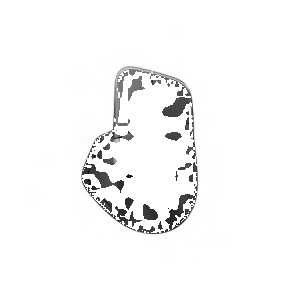
A contoured shape and soft-touch sides will make southpaws smile.

The right moves

The right moves

Smooth, accurate laser tracking and side-to-side scrolling with zoom take you where you want to go.

A wireless laser mouse for lefties that gives you e-mail and IM notifications and one-touch controls.

E-mail and IM notification

E-mail and IM notification

Get instant notification of new e-mails and instant messages from selected friends.*

Laser tracking

Laser precision means you’ll enjoy smoother tracking on just about any surface.** Curious about cursor control?

Learn more.

Side-to-side scrolling plus zoom

Side-to-side scrolling plus zoom

The power is in your hands. You can scroll side-to-side in documents or zoom in and out of photos and spreadsheets with a flick of your finger.*

Auto off

It’s easy to use and helps increase battery life by shutting down the mouse when you aren’t using it. Big on battery life? We are, too.

Learn more.

* Requires Logitech® SetPoint™ software, included with purchase and available for download at www.logitech.com/downloads.
** The laser sensor does not work on glass or mirrors. If you're looking for a mouse that will track on glass, click here.

Laser sensors: A controlling interest

Sensing the details

What does a mouse do? Fundamentally, it allows you to control your cursor. And the best measure of cursor control is the accuracy with which the mouse translates the movements you make with your hand.

How precise is your mouse? Logitech mice use advanced sensors to make sure that whether you’re clicking links, dragging text, or opening new apps—that whatever you’re doing—your computing experience is seamless.

We achieve precision by designing miniature sensors. These sensors take lots of little pictures of the surface below the mouse, interpret those pictures, and translate the movement your hand makes into movement on your screen.


Sensitive to your needs

Some people just need a mouse that works. Others need a mouse that can track on many surfaces. And gamers need a mouse that can give them game-changing precision at any hand speed.


Details, details

There are two kinds of sensors: optical and laser.

Mice with optical sensors track the surfaces beneath them using the available light and an LED lamp.

In 2004, Logitech introduced the first mouse with laser tracking. Laser sensors, compared to optical, produce far more illumination—both of the surface and of the contrast created by, literally, specs of dust on the surface—revealing a wealth of details even on glossy surfaces like highly polished wood. And that means your mouse can track motion precisely on many surfaces, without lags or jitter.


Glass. The final frontier.

Logitech mice that are built with Logitech® Darkfield Laser Tracking™ use the smallest possible details to create a micro-road map of the surface. That means these mice can track on glass.*
See all optical mice
See all laser mice
See all mice with Logitech® Darkfield Laser Tracking™

See a demonstration of Logitech® Darkfield Laser Tracking™

Gaming-grade control

If you’re an expert gamer, pixel-perfect tracking can mean the difference between victory and defeat. Our mice with gaming-grade laser sensors can track at speeds all the way up to 5000 dpi. So when the game is on the line, you’ll get maximum precision, blinding speed, and ultra-smooth tracking.

See all mice with a gaming-grade laser.

Track tested

We rigorously test all of our laser mice on a wide variety of surfaces to make sure your mouse is free of tracking flaws.

* Mice with Logitech® Darkfield Laser Technology cannot track on glass that is 4 mm thick or less, which is not much larger than the head of a pin.


Powering your mouse

The power of convenience

For you, having a wireless mouse is all about convenience. Any time you need new batteries it’s a hassle.

That’s why we’re hard at work figuring out ways to extend the battery life of every mouse we sell. And it’s why we make some mice that let you go more than a year without changing the batteries. Because we happen to think that fewer batteries are better for you. (And better for the planet, too.)

On and on and on

The longer your battery life, the less hassle you face. No lugging around batteries when you’re on the go. No wasting time and money on frequent changes.

Pick a mouse with batteries that last a year, 15 months, 18 months—or even three years—and you might just forget it runs on batteries at all.

See all mice with extended battery life.

Charge, not change

Don’t want to deal with changing batteries at all? We’ve got rechargeable mice, too. You just place your mouse in its recharging stand or plug in the USB cord when you’re done using it, and you’ll always be ready to go.

Check out all of our rechargeable mice.

Bells and whistles

Mice that turn off automatically. Buttons that help you conserve battery life. Battery indicator-lights.

Many Logitech wireless mice are designed to help your batteries last longer. By automatically putting your mouse to sleep when you aren’t using it. By offering On/Off buttons that let you manually turn off your mouse. With battery indicator-lights that help prevent surprises—so you know you can count on your mouse when you need it most.

Some mice combine auto off, On/Off buttons, and battery indicator-lights.

See all mice with additional battery features.

To view this Product Gallery, please install the Adobe Flash plugin and enable JavaScript in your browser.
Click to play.

System Requirements

  • Windows-based computer
    • Windows® 98, Windows® 2000, Windows® Me, Windows® XP, Windows Vista®, Windows® 7


Warranty Information

  • 5-year limited hardware warranty

Package Contents

  • Logitech® MX™610 Left-Hand Laser Cordless Mouse
  • 2.4 GHz Micro-Receiver
  • CD with SetPoint™ software
  • Installation guide
  • USB-to-PS/2 adapter
  • 2 AA batteries

Part Number

  • PN 931571-0403
MX™ 610 Left-Hand Cordless Laser Mouse

Questions? Answers? Software? It's all here.

Expert help
Read from thousands of FAQs.
Downloads
Download installation software, drivers, updates and more.
Support Community
Visit the Logitech community to interact with other users.

Get Support Now

Find a Store Near You

Enter your ZIP code to find stores that carry Logitech products.


Find a Product Online

This product is available at the following websites:


A mouse as colorful as you are.

Treat yourself to color, comfort, and convenience that goes everywhere your laptop goes. Learn More

Free? Yes.

Spend $75 and get free ground shipping. Just our way of saying thanks.

MX™ 610 Left-Hand Cordless Laser Mouse