



V470 Cordless Laser Mouse for Bluetooth®

Read all Reviews

USD 49.99

Add To Cart
V470 Cordless Laser Mouse for Bluetooth®

A Bluetooth® mouse that bumps you up to business-class mobility.

The right moves

The right moves

Smooth, accurate laser tracking and side-to-side scrolling plus zoom take you where you want to go.

Free to go

Free to go

No cables, no receiver—no holding you back with a long-range Bluetooth® wireless connection you can count on.

Jet set

Jet set

You can pop this light, durable mouse into its protective pouch and travel the world with comfort in hand.

With smooth laser tracking and side-to-side scrolling plus zoom, this Bluetooth® mouse bumps you up to business-class mobility.

Laser tracking

Laser precision means you’ll enjoy smoother tracking on just about any surface.* Curious about cursor control?

Learn more.

Side-to-side scrolling plus zoom

Side-to-side scrolling plus zoom

The power is in your hands. You can scroll side-to-side in documents or zoom in and out of photos and spreadsheets with a flick of your finger.**

Bluetooth® wireless technology

Bluetooth® wireless technology

No receiver or cable needed—you’ll enjoy a fast, reliable connection from up to 30 feet away, without hassle.

Protective pouch

Protective pouch

Use the stylish pouch to protect your mouse when you’re on the move—from home to the office, and back again.

Lightweight, durable design

You can take this portable mouse anywhere—a more comfortable alternative to using your touch pad. Comfortable hands like comfortable mice.

Learn why.

Smart power management

You get more power out of your batteries with no surprises thanks to the On/Off switch and low-battery light. Big on battery life? We are, too.

Learn more.

* The laser sensor does not work on glass or mirrors. If you’re looking for a mouse that will track on glass, click here.
** Requires Logitech® SetPoint™ software (Windows) or Logitech® Control Center software (Mac OS® X), included with purchase and available for download at www.logitech.com/downloads.

Laser sensors: A controlling interest

Sensing the details

What does a mouse do? Fundamentally, it allows you to control your cursor. And the best measure of cursor control is the accuracy with which the mouse translates the movements you make with your hand.

How precise is your mouse? Logitech mice use advanced sensors to make sure that whether you’re clicking links, dragging text, or opening new apps—that whatever you’re doing—your computing experience is seamless.

We achieve precision by designing miniature sensors. These sensors take lots of little pictures of the surface below the mouse, interpret those pictures, and translate the movement your hand makes into movement on your screen.


Sensitive to your needs

Some people just need a mouse that works. Others need a mouse that can track on many surfaces. And gamers need a mouse that can give them game-changing precision at any hand speed.


Details, details

There are two kinds of sensors: optical and laser.

Mice with optical sensors track the surfaces beneath them using the available light and an LED lamp.

In 2004, Logitech introduced the first mouse with laser tracking. Laser sensors, compared to optical, produce far more illumination—both of the surface and of the contrast created by, literally, specs of dust on the surface—revealing a wealth of details even on glossy surfaces like highly polished wood. And that means your mouse can track motion precisely on many surfaces, without lags or jitter.


Glass. The final frontier.

Logitech mice that are built with Logitech® Darkfield Laser Tracking™ use the smallest possible details to create a micro-road map of the surface. That means these mice can track on glass.*
See all optical mice
See all laser mice
See all mice with Logitech® Darkfield Laser Tracking™

See a demonstration of Logitech® Darkfield Laser Tracking™

Gaming-grade control

If you’re an expert gamer, pixel-perfect tracking can mean the difference between victory and defeat. Our mice with gaming-grade laser sensors can track at speeds all the way up to 5000 dpi. So when the game is on the line, you’ll get maximum precision, blinding speed, and ultra-smooth tracking.

See all mice with a gaming-grade laser.

Track tested

We rigorously test all of our laser mice on a wide variety of surfaces to make sure your mouse is free of tracking flaws.

* Mice with Logitech® Darkfield Laser Technology cannot track on glass that is 4 mm thick or less, which is not much larger than the head of a pin.


Mice you can get comfortable with

It all adds up

Do you spend a lot of time with your mouse? Repeating the same hand and arm movements over and over again hundreds, if not thousands, of times a day? Even the littlest difference in design can make a big difference in your comfort.

Logitech mice have all sorts of features that help increase your comfort and help reduce the amount of movement, effort, and strain needed to get around your computer.

A natural fit

If your hand had a choice in the matter, it would naturally take the angle of a handshake when your arm is bent.

We figured nature might be on to something and created mice that are sculpted and sloped to let your hand take a more comfortable, handshake-like position. And that means your hand can relax.

See all sculpted mice.

A better grip

You lift and move your mouse again and again, all day long. If it’s hard to hold, it’s going to put a little extra strain on your hand. But don’t worry—we added non-slip rubber grips to many of our mice to increase friction and make it easier for you to hold and grab your mouse without squeezing.

Pick out an easy-to-pickup mouse with rubber grips.

All about angles

Extending your wrists and flexing your fingers for hours may not feel so good. That’s why we make low-profile mice that reduce the angle you need to extend your wrist. And we carefully place controls so that most hands can use them without flexing fingers more than 45 degrees.

Check out the low-profile Logitech® Wireless Mouse M505.

Navigating to comfort

Comfort features aren’t the only ones that help your hand out. If you can get where you want to go faster, your hand does less work. Less work equals more comfort.

Hyper-fast scrolling lets you fly through 10,000 lines of a spreadsheet with a single spin of the nearly frictionless wheel—something that would take 1,000 spins and seven minutes to do with a traditional scroll wheel. In the long run, that’s a whole lot less work that your finger has to do.

Check out all mice with hyper-fast scrolling.

Want more time-saving controls that can save your hand, too? Side-to-side scrolling plus zoom, application switching, and Forward and Backward buttons all help you do more things with less effort.

See all mice with advanced navigation controls.

Smooth moves

Is your mouse fighting your moves? We’ve got mice with slick, low-resistance feet that allow them to glide more smoothly than your average mouse. When your mouse resists less, you don’t need to work as hard.

Find a mouse with low-resistance feet.

The easy track

You can even choose a mouse that doesn’t make you move very much at all. A trackball mouse stays in one place—you just move the ball with your finger or thumb. Plus, customizable buttons help you do more, more easily.

Check out all trackball mice.

Powering your mouse

The power of convenience

For you, having a wireless mouse is all about convenience. Any time you need new batteries it’s a hassle.

That’s why we’re hard at work figuring out ways to extend the battery life of every mouse we sell. And it’s why we make some mice that let you go more than a year without changing the batteries. Because we happen to think that fewer batteries are better for you. (And better for the planet, too.)

On and on and on

The longer your battery life, the less hassle you face. No lugging around batteries when you’re on the go. No wasting time and money on frequent changes.

Pick a mouse with batteries that last a year, 15 months, 18 months—or even three years—and you might just forget it runs on batteries at all.

See all mice with extended battery life.

Charge, not change

Don’t want to deal with changing batteries at all? We’ve got rechargeable mice, too. You just place your mouse in its recharging stand or plug in the USB cord when you’re done using it, and you’ll always be ready to go.

Check out all of our rechargeable mice.

Bells and whistles

Mice that turn off automatically. Buttons that help you conserve battery life. Battery indicator-lights.

Many Logitech wireless mice are designed to help your batteries last longer. By automatically putting your mouse to sleep when you aren’t using it. By offering On/Off buttons that let you manually turn off your mouse. With battery indicator-lights that help prevent surprises—so you know you can count on your mouse when you need it most.

Some mice combine auto off, On/Off buttons, and battery indicator-lights.

See all mice with additional battery features.

Logitech® Darkfield Laser Tracking™

You work and play all over the place—and that means you’re going to encounter all sorts of work surfaces. A glass desk or shiny table shouldn’t stand in your way.

That’s why we created Logitech® Darkfield Laser Tracking™, featured in the Logitech® Anywhere Mouse MX™ and the Logitech® Performance Mouse MX™.

Darkfield tracks on surfaces like clear glass* and lacquered desks that stump optical mice and standard laser mice. So now your mouse works wherever you do.


It’s all in the details.

Optical and traditional laser mice use irregularities in the surface to track the direction and speed of your mouse. The more irregularities on a surface, the easier it is for the sensor to track your movements.

But use your mouse on a smooth, glossy surface like clear glass, and there just aren’t enough imperfections for your standard mouse to work. This is where Darkfield Laser Tracking comes in. Darkfield uses the smallest possible details to create a micro-road map of the surface—so you get better precision on more surfaces.


Want more details on Darkfield? Read the Innovation Brief.

Can this mouse do everything?

Just about. Keep in mind, however, that we haven’t designed the first two mice with Darkfield Laser Tracking for gamers or for those working on laboratory-grade clean glass.

If you’re making lighting-fast maneuvers and need gaming-grade cursor speed, take a look at the Logitech® G9x Laser Mouse.


And if you’re working on exceptionally clean glass, you may have to wait until the dust settles. For surfaces with fewer than 44 microscopic details (per square millimeter) that are less than 5 µm wide and 1.5 µm thick—to give some context, a strand of human hair is about 100 µm wide—you may want to swipe your hand across the surface before using your mouse.

But for everyone else, Darkfield Laser Tracking gives you precise cursor control on virtually any surface—even glass.

*At least 4 mm thick.


To view this Product Gallery, please install the Adobe Flash plugin and enable JavaScript in your browser.
Click to play.

System Requirements

  • Windows-based computer
    • Windows® XP, Windows Vista®, Windows® 7
    • Broadcom/Widcomm Bluetooth® BTW 1.4.2.21+, or Windows® XP SP2 or above, or Windows® XP 64 or above
    • Bluetooth® wireless technology


  • Mac® computer
    • Mac OS® X 10.4 or later
    • Bluetooth® wireless technology


Warranty Information

  • 3-year limited hardware warranty

Package Contents

  • Logitech® V470 Cordless Laser Mouse
  • Logitech® SetPoint™ software CD
  • Protective pouch
  • Installation guide
  • 2 AA batteries

Part Number

  • PN 910-000298
V470 Cordless Laser Mouse for Bluetooth®

Questions? Answers? Software? It's all here.

Expert help
Read from thousands of FAQs.
Downloads
Download installation software, drivers, updates and more.
Support Community
Visit the Logitech community to interact with other users.

Get Support Now

Find a Store Near You

Enter your ZIP code to find stores that carry Logitech products.


Find a Product Online

This product is available at the following websites:


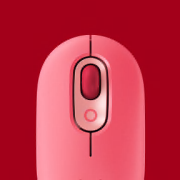
A mouse as colorful as you are.

Treat yourself to color, comfort, and convenience that goes everywhere your laptop goes. Learn More

Works—even on glass

Work where other mice fail, even on glass, with Logitech Darkfield Laser Tracking™
Learn More

V470 Cordless Laser Mouse for Bluetooth®