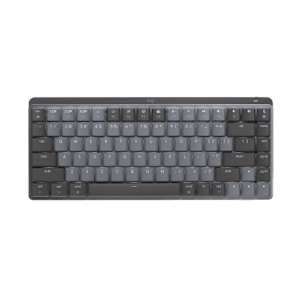





V550 Nano Cordless Laser Mouse for Notebooks

Read all Reviews

USD 59.99

V550 Nano Cordless Laser Mouse for Notebooks
Available colors
See more images

A clip-and-go mouse that gives you more freedom to move around with your laptop.

V550 Nano Cordless Laser Mouse for Notebooks

Clip and go

You’ve got one less thing to carry with a convenient Clip-and-Go dock that attaches to your notebook.

It’s got juice

It’s got juice

You might just forget this mouse runs on batteries with its hassle-free 18-month battery life

Plug and forget

Plug and forget

The cordless, USB nano-receiver is always ready for use. Plug it in once and forget about it.

Precise laser tracking and a 18-month battery life make this comfortable wireless mouse ready to follow you anywhere.

Clip-and-Go dock

You just clip your mouse to your notebook and go. The easy-to-attach, easy-to-remove dock is compatible with all laptops. Learn how easy it is to clip and go.

Learn more.

18-month battery life

The long battery life virtually eliminates the hassle of changing batteries. Plus, the mouse automatically turns off when docked to your notebook.* Big on battery life? We are, too.

Learn more.

Plug-and-forget nano-receiver

So small and unobtrusive, you can plug it into a USB port and forget about it. Plus, you can say goodbye to worries about broken or lost receivers. Plug into more about the plug-and-forget nano-receiver.

Learn more.

Hyper-fast scrolling

You’ll fly through documents and Web pages with a single spin. Click-to-click scrolling gives you the precision you need when navigating lists, slides, and images. Excited about hyper-fast scrolling?

Learn more.

Logitech® Advanced 2.4 GHz wireless

You get the reliability of a cord with cordless convenience and freedom—fast data transmission and virtually no delays or dropouts. Learn more about Logitech wireless technologies.

Learn more.

Laser tracking

Laser precision means you’ll enjoy smoother tracking on just about any surface.** Curious about cursor control?

Learn more.

* Battery life may vary based on user and computing conditions.
** The laser sensor does not work on glass or mirrors. If you’re looking for a mouse that will track on glass, click here.

Powering your mouse

The power of convenience

For you, having a wireless mouse is all about convenience. Any time you need new batteries it’s a hassle.

That’s why we’re hard at work figuring out ways to extend the battery life of every mouse we sell. And it’s why we make some mice that let you go more than a year without changing the batteries. Because we happen to think that fewer batteries are better for you. (And better for the planet, too.)

On and on and on

The longer your battery life, the less hassle you face. No lugging around batteries when you’re on the go. No wasting time and money on frequent changes.

Pick a mouse with batteries that last a year, 15 months, 18 months—or even three years—and you might just forget it runs on batteries at all.

See all mice with extended battery life.

Charge, not change

Don’t want to deal with changing batteries at all? We’ve got rechargeable mice, too. You just place your mouse in its recharging stand or plug in the USB cord when you’re done using it, and you’ll always be ready to go.

Check out all of our rechargeable mice.

Bells and whistles

Mice that turn off automatically. Buttons that help you conserve battery life. Battery indicator-lights.

Many Logitech wireless mice are designed to help your batteries last longer. By automatically putting your mouse to sleep when you aren’t using it. By offering On/Off buttons that let you manually turn off your mouse. With battery indicator-lights that help prevent surprises—so you know you can count on your mouse when you need it most.

Some mice combine auto off, On/Off buttons, and battery indicator-lights.

See all mice with additional battery features.

Plug-and-forget nano-receiver

You can forget about it

Here’s one less thing to worry about when you’re on the go - your wireless receiver. That’s because our plug-and-forget nano-receiver isn’t just small - it’s tiny. You can literally plug it in once and forget about it.


See all mice with a plug-and-forget nano-receiver

Leave it and love it

With most wireless receivers, you need to plug and unplug them every time you pack up your notebook. The plug-and-forget nano-receiver is different. It’s so small it stays nearly flush with your notebook - so it’s always ready. You just turn off your mouse and go.


It’s a stowaway

If you ever want to store the receiver, you can do that, too. Plus, because you’re not using it, storing your receiver will help conserve battery life.

Depending on the mouse you’re using, you can put the nano-receiver in the storage slot (inside the mouse) or slide it into a port (on the back of the mouse) and - presto! - your mouse turns off.

When you’re ready to get back to business, you simply press the eject button to release the receiver, plug it into your notebook, and start working. (Did we mention the nano-receiver is plug and play?)


Learn more about which wireless technology is right for you

Pint-sized power

Sure this little guy is about the size of a small coin, but it packs plenty of power. Nearly all mice that come with the nano-receiver offer Logitech Advanced 2.4 GHz wireless connectivity.* That means you’ll experience virtually no delays or dropouts, even in the busiest high-tech environments, such as an airport, a coffee shop, or your neighborhood coffee shop.

If it weren’t so easy to forget about, you might just find this receiver unforgettable.

* The Logitech® VX Nano Cordless Laser Mouse for Notebooks was introduced before we offered Logitech® Advanced 2.4 GHz wireless.


Hyper-fast scrolling

One spin is all it takes

Scroll. Lift finger. Repeat. And repeat. And repeat.

Sound familiar? If you’re tired of inch-worming through long documents and Web pages, take hyper-fast scrolling for a spin to fly instead of crawl.


See all mice with hyper-fast scrolling

Scroll a lot?

Your spreadsheets and documents are getting longer. Your digital photo and music libraries are bursting at the seams. And you’re glued to long Web pages that have you scrolling and scrolling and …. To get through it all, you’re doing a whole lot of scrolling. We’re talking 26 feet of it in your average eight-hour day, according to a Logitech study.

That’s where hyper-fast scrolling comes in.


From zero to line 10,000 in 7 seconds

When you need to do some long-distance scrolling, hyper-fast scrolling unleashes the speed demon inside. What’s going on under the hood? The ratchet-scrolling mechanism you’re used to retracts so the wheel can spin with virtually no friction.

Seven seconds. That’s how long some of our scroll wheels spin freely—speeding you through hundreds of pages or thousands of rows.

And, oh yeah, it’s got precision handling too. With normal click-to-click scrolling, you can navigate your lists, slides, and images with the line-by-line control you need.


Wireless mice. Cut the cord.

You don’t have to stay tied to your desk. Or live with the chaos of cords.

With Logitech wireless mice, you’re free. Free to be more productive and comfortable on the go. To keep your desk clutter-free. And to say “no thanks” to your notebook’s tricky touch pad.

With a variety of wireless options, you’re also free to pick which type of wireless works best for you. But don’t worry—we’re here to untangle all the terminology and technology.

The power player: Advanced 2.4 GHz

Logitech Advanced 2.4 GHz wireless delivers even more robust, reliable performance than ever before, effectively eliminating delays and dropouts (compared to conventional 2.4 GHz and 27 MHz wireless technologies).

Even in the busiest wireless environments, such as a busy airport or high-tech office, Logitech Advanced 2.4 GHz wireless technology delivers the reliability of a cord plus cordless convenience and freedom.

Your mouse is automatically paired with the receiver plugged into your computer and minimizes conflicts with other devices. So, you can use your mouse with the most demanding applications and know that every move you make will be carried out instantaneously. It uses less battery power than other wireless technologies, too.

Check out all of our Advanced 2.4 GHz wireless mice.

Read the white paper.

Just plain easy: Bluetooth®

No dongle, no cord—Bluetooth® mice give you a hassle-free connection to your Bluetooth-enabled computer.

Get connected with our Bluetooth® mice.

Back to basics: 27 MHz

For a basic wireless connection, 27 MHz wireless technology is reliable. You can use it up to six feet away with less chance of interference in your home or small office because the band isn’t widely used.

Check out the Logitech® LX8 Cordless Laser Mouse.
Check out the Logitech® LX6 Cordless Laser Mouse.

Laser sensors: A controlling interest

Sensing the details

What does a mouse do? Fundamentally, it allows you to control your cursor. And the best measure of cursor control is the accuracy with which the mouse translates the movements you make with your hand.

How precise is your mouse? Logitech mice use advanced sensors to make sure that whether you’re clicking links, dragging text, or opening new apps—that whatever you’re doing—your computing experience is seamless.

We achieve precision by designing miniature sensors. These sensors take lots of little pictures of the surface below the mouse, interpret those pictures, and translate the movement your hand makes into movement on your screen.


Sensitive to your needs

Some people just need a mouse that works. Others need a mouse that can track on many surfaces. And gamers need a mouse that can give them game-changing precision at any hand speed.


Details, details

There are two kinds of sensors: optical and laser.

Mice with optical sensors track the surfaces beneath them using the available light and an LED lamp.

In 2004, Logitech introduced the first mouse with laser tracking. Laser sensors, compared to optical, produce far more illumination—both of the surface and of the contrast created by, literally, specs of dust on the surface—revealing a wealth of details even on glossy surfaces like highly polished wood. And that means your mouse can track motion precisely on many surfaces, without lags or jitter.


Glass. The final frontier.

Logitech mice that are built with Logitech® Darkfield Laser Tracking™ use the smallest possible details to create a micro-road map of the surface. That means these mice can track on glass.*
See all optical mice
See all laser mice
See all mice with Logitech® Darkfield Laser Tracking™

See a demonstration of Logitech® Darkfield Laser Tracking™

Gaming-grade control

If you’re an expert gamer, pixel-perfect tracking can mean the difference between victory and defeat. Our mice with gaming-grade laser sensors can track at speeds all the way up to 5000 dpi. So when the game is on the line, you’ll get maximum precision, blinding speed, and ultra-smooth tracking.

See all mice with a gaming-grade laser.

Track tested

We rigorously test all of our laser mice on a wide variety of surfaces to make sure your mouse is free of tracking flaws.

* Mice with Logitech® Darkfield Laser Technology cannot track on glass that is 4 mm thick or less, which is not much larger than the head of a pin.


To view this Product Gallery, please install the Adobe Flash plugin and enable JavaScript in your browser.
Click to play.

System Requirements

  • Windows-based computer
    • Windows® XP, Windows Vista®, Windows® 7
    • USB port


  • Mac® computer
    • Mac OS® X 10.4 or later
    • USB port


Warranty Information

  • 3-year limited hardware warranty

Package Contents

  • Logitech® V550 Nano Cordless Laser Mouse for Notebooks
  • 2.4 GHz Plug-and-Forget Nano-receiver
  • 2 Clip-and-Go docks
  • 2 AA batteries
  • Desktop USB extension stand
  • 1 Clip-and-Go storage box
  • 2 cleaning wipes
  • 1 Clip-and-Go dock-removal tool
  • Quick-start guide

Part Number

  • PN 910-000695
  • PN 910-000696
V550 Nano Cordless Laser Mouse for Notebooks

Questions? Answers? Software? It's all here.

Expert help
Read from thousands of FAQs.
Downloads
Download installation software, drivers, updates and more.
Support Community
Visit the Logitech community to interact with other users.
Replacement Parts
Purchase replacement parts for popular products.

Get Support Now

Find a Store Near You

Enter your ZIP code to find stores that carry Logitech products.


Find a Product Online

This product is available at the following websites:


Logitech on your iPhone.

Turn your iPhone or iPod Touch into a wireless trackpad and keyboard for your computer. Get the app

Free? Yes.

Spend $75 and get free ground shipping. Just our way of saying thanks.

V550 Nano Cordless Laser Mouse for Notebooks

Select A Color