

Setup without hassles. Communication without borders.
Set up. Sign up. See.
Logitech Vid™ is free, fast, and easy for you and anyone you call. It sets up when you set up the webcam.Find out more about Vid now.
The real you
Your loved ones will see you in lifelike color when you talk to them, or you can take photos to share later.Not sure which webcam is right for you? Use our product picker.
Speak out
You can be heard loud and clear thanks to a built-in microphone that reduces background noise.
A built-in video-calling application and mic give you setup without hassles and communication without borders.
Includes Logitech Vid™
Now video calling is free, fast, and easy for you and anyone you want to talk to. It’s built into your webcam setup, so you can call right away. Find out more about Vid now.
Clear video calls
With its VGA sensor, the people you care about will see you in lifelike color. Megapixels? Sensor? Why is image quality so important?
1.3-megapixel photos
It’s easy to take snapshots at up to 1.3 megapixels (software enhanced).
Built-in mic with RightSound™
It gives you clear, headset-free conversations without annoying background noise. Learn more about RightSound.
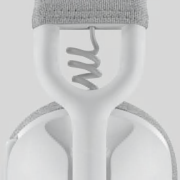
Universal clip
You can attach your webcam securely to LCD monitors and ultra-thin notebooks, or sit it on a shelf or desk.
IM compatibility
Works with Skype™, Windows Live™ Messenger, Yahoo!® Messenger, AOL® Instant Messenger (AIM®), and other popular instant messaging applications.
Finding a webcam you can click with
The right webcam for the job
A webcam lets you turn your IMs, e-mails, and calls into face-to-face conversations—no matter where your friends and family are. But which webcam is right for you? We’ll help you focus in on the right one for your needs.
Look your best with Carl Zeiss optics
Want your friends and family to see the real you? You’ll get razor-sharp HD video—even up close—with our top-of-the-line webcams. They feature Carl Zeiss® optics, premium autofocus, and glass lenses.
See all high-performance webcams.
Find out more about why our collaboration with Carl Zeiss benefits you.
Learn all about Logitech autofocus
Video on the go
Need a webcam to take on the road with your notebook? We offer several options that are ready to make the trip with you.
Be seen in a better light
If your lighting conditions are less than ideal, we’ve got just what you need. RightLight™ 2 technology intelligently adjusts to give you the best possible image—even in dim or poorly backlit settings.
Our webcams with RightLight™ technology help you look clearer, more detailed, and more natural in all kinds of lighting—at a more affordable price.
Have more fun with Logitech® Video Effects
Your calls and videos get an extra dose of entertainment with Video Effects. With Avatars, Face Accessories, Video Masks, and Fun Filters, you can be a talking shark one minute and throw on a funny mustache the next.
Hear and be heard
Don’t want to use a headset? RightSound™ technology lets you enjoy headset-free conversations without echoes or annoying background noise.
Wallet-friendly webcams
Just looking for something basic to get started? You can choose from a variety of affordable webcams that let you enjoy video calls on a budget.
RightSound technology. So you sound like—you.
What’s that noise?
Have you ever made a video call and thought that the person on the other end sounded unusual? That their voice was unnaturally flat? Or there was a strange distortion in their speech?
Webcams let you see and talk to your friends and family—wherever they are. But with most webcams, you need to wear a headset or distracting background noise (the whir of a fan, the hum of your computer) can mar your conversation.
At Logitech, we hear that sound, too. And we know it’s annoying. That’s why we developed RightSound™ technology—to help ensure that your voice comes through crisp and clear.
Say good-bye to that humming sound
Try this. Stop reading for a moment and just listen to the sounds in your room. (We’ll wait.)
Now, think about all the different sounds you hear. You can probably categorize them into two types: sounds with a regularly repeating pattern (like a fan, air conditioner, or your neighbor’s lawnmower) and sounds that vary (like the human voice). Engineers would call the first type ‘stationary sound’ and the second ‘non-stationary sound.’ Ambient noise is another way to describe the first type of sound.
Ambient noise—such as the hum of your computer—is what can really spoil your video call.
Fortunately, ambient sound waves produce a regularly recurring pattern. And because they do, we can identify the ambient noise in the midst of all the other sounds in the room, including your voice, and help make it less of an annoyance. In a nutshell, that’s what RightSound does.
RightSound. Real difference.
There’s a lot of talk about megapixels when it comes to webcams. But we know that a satisfying video call requires good sound quality, too.
At Logitech, a team of acoustic engineers created RightSound. Using sophisticated algorithms,, we carefully analyze the entire spectrum of sound to better isolate the ambient noise, and more deftly cancel it out with a signal below the threshold of human hearing.
The result is that your friends and family only hear the real you. Loud and clear.
Image quality. It’s more than just megapixels.
Seeing the smile on your grandson’s face or the glitter off your daughter’s engagement ring is so much better than a phone call. And a webcam can really make these experiences possible, even when you’re separated by thousands of miles. But getting the right webcam is more than just a matter of finding the one with the most megapixels.
At Logitech, we’re not just trying to dazzle you with more megapixels. Megapixels are only part of the picture. Image quality—especially when it comes to making a video call—depends on at least five things: the webcam lens and sensor, your computer, your Internet connection, and the video-calling program.
The truth about megapixels
A higher-megapixel sensor doesn’t equal high-quality images on its own, so it’s important not to just look at megapixels and forget about the other aspects of the camera.
Higher-megapixel sensors, however, can give you more fine detail. Pick one of our webcams with a true two-megapixel sensor—such as the Logitech® Webcam Pro 9000 or the Logitech® Webcam C905 —and you’ll enjoy sharper, more detailed photos.
The right lens
The lens is what captures the light that gets turned into the image by the sensor. If your lens isn’t good, it doesn’t matter how many megapixels you’ve got. A bad lens is going to give you a bad image.
From our budget models to the top-of-the-line, we’re committed to using quality lenses. Our lower-priced cameras feature multi-element, plastic lenses perfectly paired for the sensor in the camera. In our mid-price webcams, you’ll find glass lenses that produce even sharper images.
For our best webcams, we teamed up with Carl Zeiss®—a pioneer in the world of optics—to create lenses that raise the bar for image quality. They use glass instead of plastic and have five elements to give you more detail and clarity and less distortion.
Find out more about why our collaboration with Carl Zeiss benefits you.
Maintaining focus
Ready for your close-up? You’re not only going to need a good lens—you’re going to need a good focusing system. A lot of webcams have either a manual focus option or no focusing system at all. If you get too close, you can end up fuzzy.
Our top webcams feature an advanced autofocus system. You’ll get crystal clear images and fluid transitions whether you’re moving in for a kiss or your kid is holding her latest masterpiece up to the camera—as close as 10 centimeters away.
Learn more about Logitech autofocus.
What about HD webcams?
When it comes to video calls, the maximum resolution is 640-by-480 pixels, otherwise known as VGA resolution. Today, you can’t make an HD video call on any of the free instant-messaging applications.
So what’s the value of an HD webcam? Want to record a message to a friend? Update your blog with a video clip? Capture your latest dance moves and post it on YouTube™? An HD webcam can record HD video. And several Logitech webcams make it easy to capture HD video at the 720p standard.
See all webcams that can capture HD video.
Find out why Logitech HD webcams offer so much more than HD.
Power and connections
Most computers sold today have no problem handling a video call. But if your computer is a little bit older or you’re not using a fast connection, you might run into difficulty. To get good clarity and smoothness, your computer needs to meet the minimum requirements to support a video call.
We recommend that your computer have a dual-core CPU with 1 GB of RAM and that you’re using a broadband connection of 256 kbps or higher. (Most broadband connections are at least twice as fast as 256 kbps.)
Vid—Putting it all together
What is Vid? Unlike other instant messaging programs, we created Vid specifically for clear, simple video calling. There’s no text chat. No strangers calling you. No smiley faces made of parentheses. Just real smiling faces.
You need every element of the “image pipeline,” as our engineers call it, to have a great video call. When it’s time for you to make a call, Vid puts it all together.
Learn more about Vid—the fast, free and easy way to make a video call.
Read the blog post celebrating the one-millionth download of Vid.
System Requirements
-
Windows® XP (SP2 or higher)
- 1 GHz (1.6 GHz recommended)
- 256 MB RAM (512 MB RAM recommended)
-
Windows Vista® or Windows® 7 (32-bit or 64-bit)
- 1 GHz (1.6 GHz recommended)
- 512 MB RAM or more
- 200 MB hard drive space
- CD-ROM drive
- OS-compatible sound card and speakers
- 1.1 USB port (2.0 recommended)
-
For the best video calling experience, we suggest:
- Dual core CPU with 1 GB RAM
- Broadband internet with 256 kbps upload or higher
Warranty Information
- 2-year limited hardware warranty
Package Contents
- Webcam with 6-foot USB cable
- Logitech webcam software CD
- User documentation
Works with most instant messaging applications.
Part Number
- PN 960-000415
Technical Specifications
The specs:
- VGA sensor (640 x 480 pixels)
- Video capture: up to 640 x 480 pixels
- Photos: up to 1.3 megapixels (software enhanced)
- Video capture up to 30 frames per second (with recommended systems)
- Built-in microphone with Logitech® RightSound™ technology
- Hi-Speed USB 2.0 certified
- Universal clip fits notebooks, LCD or CRT monitors
- Snapshot button for capturing photos
- Manual focus
Logitech® webcam software:
- Logitech Vid™
- Capture videos and photos
- E-mail videos and photos
- YouTube™ upload (registration required)
Questions? Answers? Software? It's all here.
- Expert help
- Read from thousands of FAQs.
- Downloads
- Download installation software, drivers, updates and more.
- Support Community
- Visit the Logitech community to interact with other users.
Find a Store Near You
Enter your ZIP code to find stores that carry Logitech products.
Find a Product Online
This product is available at the following websites:
Logitech HD webcams.
So much more than HD. Find out why.


Change Location