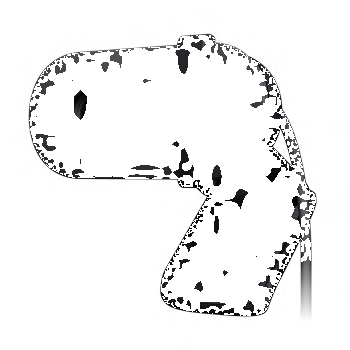
Add a weatherproof, night-vision video camera for more outdoor visibility.
Expand your Logitech Alert Master System.
This add-on camera expands your existing Logitech Alert Master System (sold separately), so you can see what’s going on in the backyard, driveway or dark garage. Simply plug in the camera to add it to your existing system.
Weatherproof with 100 ft. night vision.
Our powerful night vision illumination allows you to see up to 100ft. in the dark.
Plug it in to see even more.
HomePlug® networking uses your electrical wiring and outlets to connect the camera to your existing master system.
Add an outdoor camera to your existing Logitech Alert master system for more complete picture of what’s happening when you aren’t around.
Plug and play set up.
HomePlug® Powerline technology lets you use your existing outlets and electrical wiring to connect to your network and transmit video without new wires or networking hassles.
HD video and wide-angle lens.
.High quality video (960 x 720 @15fps) makes it easier to recognize people and other objects. Our 130-degree, wide-angle lens also gives you twice the viewing area compared to standard cameras.
See up to 100ft in complete darkness.
Our powerful night vision illumination allows you to see up to 100ft. in the dark.
Weatherproof* design.
Keep an eye on what’s going on outside—rain or shine, summer or winter.
Motion Zones.
For more precise motion detection, and to reduce false alarms, you can specify up to 16 motion-detection zones within the frame—such as doors and windows.
Keep informed with alerts.
If there is motion on your property, you can know about it in an instant. That’s because Logitech Alert cameras can be set up to send motion-triggered alerts to your e-mail address and mobile phone. You can even set up your alert notifications on a schedule for when you want to be notified or not.
Free web and mobile viewing.
Log in to our secure site and watch live camera feeds from an Internet-connected computer, anywhere in the world. You also download the free app to view live recording on your iPhone®, Android®, or BlackBerry® devices.
Commander software.
Enables you to easily configure your video security system, watch live video, store video on your computer and review recorded video.
Remote management.
Purchase optional premium services and manage your system remotely from any Internet-connected computer or from your available on iPhone®, iPad®, BlackBerry®, and Android® devices.
On-Camera storage with computer and cloud backup.
Record a week’s worth of videos on the included micro-SD™ card** and automatically back up the videos to your computer when it’s turned on. You can also add the peace of mind by storing the videos on Dropbox cloud service (optional).
Built-in microphone.
Your camera not only records video, but can be enabled to record audio as well.
Versatile mounting & Easy expansion.
Place your camera almost anywhere using the included mounting brackets. And don’t limit your security to a single camera—you can easily expand your coverage to up to six cameras—indoors or outdoors.
* The Logitech Alert outdoor camera is ISO 60529 IP55 rated. Recommended operating temperature -30°C ~ +50°C (-22°F ~ 120°F).
** Upgrade to larger microSD card (not included) for additional recording capacity.
48V PoE (Power-over-Ethernet) compatible.
HomePlug. The main ingredient for easy-to-set-up Logitech Alert Digital Video Security.
|
Connect your Logitech Alert™ digital video security camera to your home network through your existing electrical wires? It’s easy with HomePlug® technology. |
|
The 15-Minute SetupWith HomePlug, it takes about fifteen minutes to set up your Logitech Alert digital video security system.
That's it. Home Plug technology is ready to transmit secure video data over your existing wires. |
HomePlug—What is it?Every home has power outlets and HomePlug puts them to use. Powerline networking—like other networking technologies, such as Ethernet or 802.11g—allows you to create a local network of connected computers and devices. |
|
Logitech Alert Digital Video Security—keep informed and in control while on the go.
|
Maybe you received an alert that there’s been motion in your home. Maybe you need to adjust your camera’s settings. Maybe you just want to know that all is well. Whatever you need, Logitech Alert™ has you covered. |
|
Free Web Viewer and Free Mobile ViewerWhether you’re at work, at the store or on vacation, all you need to keep an eye on your home or small business is an Internet connection and a Web browser or a supported mobile phone with our free app installed.
|
Premium Web Commander and Mobile CommanderFor more power and control on the go, you can upgrade to Logitech Alert Mobile Commander and Web Commander. |
|
Keep in control with Commander software.
Your Logitech Alert™ digital video security system helps you stay informed and in control. Each Logitech Alert Master System comes with Logitech Alert Commander, a powerful desktop application for your Windows or Mac computer that lets you set-up and configure your video security system, watch live video, review recorded video or backup stored video on your computer.
|
System managementUse Logitech Alert Commander software to easily set-up and configure your video security system, watch live video, review recorded video and back up recorded video on your Windows or Mac computer. |
|
Live viewWant to watch what’s happening right now? Live view lets you watch all of your cameras at the same time. So you can watch your front door, driveway, kitchen, backyard, entertainment room, and home office all at once, and all in HD resolution. |
|
Playback viewNeed to see what happened in the past? Playback view lets you access and play previously recorded video clips. Pick any day from a calendar to view a timeline of recordings for that day. The playback controls let you play, pause, step forward and back, and adjust playback speed between super slow and very fast. |
|
Multiple camera display viewsBoth live and playback screens can display your choice of viewing modes—single camera view, four-camera view, and all-camera view. |
|
Motion zonesFor more precise motion detection, and to reduce false alarms, you can specify up to 16 motion-detection zones within the frame—such as doors and windows. |
|
AlertsYou can set up motion alerts to send text or images to your e-mail or mobile phone, and for more than one recipient. You can even set up your alert notifications on a schedule for when you want to be notified or not, camera-by-camera, day-by-day. |
|
Digital Pan-Tilt-ZoomYou can focus in on certain areas within the viewing windows to see more detail or position the camera angle to where you need it. |
|
Automatic Computer BackupWorried about running out of space on your cameras? Don’t be. With Commander software installed, all the video on your cameras is backed up to your Windows or Mac computer when it is connected to your network. You can then review, archive, share or delete clips as needed. And since your cameras record only motion-triggered events by default, you can store months of audio and video on as little as 20 GB of your hard drive. |
|
Desktop notificationsDesktop notifications let you know whenever important events occur—like if motion in detected by one of your cameras—by displaying a pop-up message on you computer’s desktop. Messages include important information about the event as well as an image snapshot and an audible alert. |
System RequirementsWhat you need:
|
System Requirements
-
What you need:
A Windows® or Mac® based computer is required for installation
- Windows® XP SP3, Windows Vista®, Windows® 7, Windows® 8
- Mac OS X v10.6.8 or higher
- Minimum: 2 GHz processor with 1 GB RAM
- Recommended: 2.4 GHz Intel® Core 2 Duo or faster processor with at least 2 GB RAM
- 1 Mbps or greater Internet upload speed (2 Mbps is recommended)
- Available Ethernet port on your home network
-
Setup requires a high-speed Internet connection.
Remote viewing requires a PC or Intel®-based Mac® with Adobe® Flash® Player 10 or later (free download).
* Existing Logitech Alert Master System
Warranty Information
- 1-year Limited hardware warranty
Package Contents
What's in the box:
- Logitech Alert outdoor camera
- Camera power supply
- Mount with installation hardware
- 20-ft (6-meter) Ethernet cable
- 2 GB microSD™ card (expandable up to 32 GB)*
- User documentation
* One week of storage on 2 GB card is based on the amount of motion and audio captured/recorded for typical home location (front door, back door, etc.). Upgrade to larger microSD card (not included) for additional recording capacity.
Audio monitoring and recording is included. However, depending on where you live, the use of recording devices may be prohibited. Be sure to comply with the laws in your country/state/locality when using Logitech Alert products and services.
Part Number
- PN 961-000338
Technical Specifications
- The Logitech Alert outdoor camera is ISO 60529 IP55 rated.
- Recommended operating temperature -30°C ~ +50°C (-22°F ~ 120°F).
HomePlug. The main ingredient for easy-to-set-up Logitech Alert Digital Video Security.
Awards

ABA Stevie Award 2011
700i Master System won the American Business Award for "New Product or Service of the Year — Consumer Products."

Edison Award 2011
Logitech Alert 750i Master System received the Bronze Award.

Hardware Geek, 5-Star
750i Master System.

PC Magazine Award
Logitech Alert 750n Indoor Master System Editor's Choice Award.
Back up your Logitech Alert videos
Optional Dropbox cloud-based storage solution for your Logitech Alert™ videos. Get peace of mind.
Logitech Alert now works with Mac OS X
Introducing Logitech Alert Commander for Mac- a powerful desktop application that allows you to configure, control and view your Logitech Alert digital video security system from your Mac. Download Alert Commander for Mac


Change Location