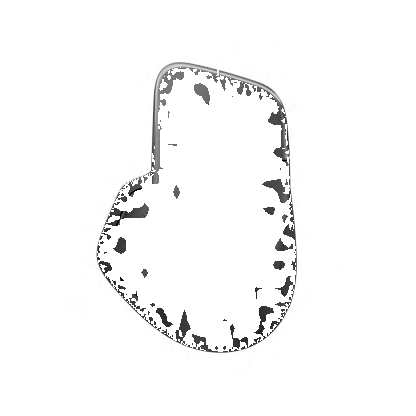

Harmony Ultimate Home
The most powerful, intuitive Harmony remote for entertainment and home control
Gallery
Features
Advanced control for the whole home
Streamline your life with intuitive, integrated control of connected smart home devices.
- Change channels, adjust volume, fast-forward, or rewind using gestures on the bright 2.4” touchscreen.
- Finding the correct buttons is easy, even in the dark, with motion-activated, backlit controls.
- Keep your eyes on your entertainment, not your remote, with vibration feedback.
- Customize the dedicated media playback, cable/satellite, and DVR controls to your preferences.
- The convenient charging station keeps Ultimate Home powered and ready.
Bring your connected home to life
Combine entertainment, lighting, blinds, locks, and more to create unique experiences like “Welcome Home” or “Good Night.”
- Control connected home devices such as Philips Hue™ lights, August™ smart locks, Nest® and Honeywell® thermostats, and more.
- Works with SmartThingssm and PEQ ™ smart home automation platforms.
- Compatible with advanced home entertainment devices like Apple TV®, Roku® and Sonos®.
- Use with popular IR or Bluetooth® wireless game consoles such as Xbox One™, Xbox 360®, PlayStation® 3 or Wii®.*
- Replace up to fifteen home entertainment remotes.
Now, smart phone equals smart home
Harmony App turns your iOS® or Android™ smartphone or tablet into a personal universal remote.
- Launch multi-device Activities with just one touch.
- Adjust volume, change channels and control movies and shows with on-screen gestures.
- Jump directly to your favorite shows with up to 50 customizable channel Favorites.
- Check the status of connected devices like lights or locks—even when away from home.
Home Hub makes the connection
The included Home Hub sends commands from the remote or the app to devices using IR, Wi-Fi or Bluetooth wireless signals.*
- Works with over 270,000 compatible home entertainment devices from more than 6,000 brands.
- Control devices behind closed cabinets and inside doors.
- Control devices directly, according to custom schedules, or in response to sensors.**
**Sensors sold separately.
*Wireless and IR range may vary due to environmental conditions.
Get started in minutes
Easily and quickly set up Ultimate Home using the free Harmony mobile app for iOS or Android.
- Download Harmony App from the App Store or Google Play.*
- Enter model numbers and brands to add devices.
- Customize your home experience with device groups, programmed activations, and multi-device, one-touch Activities.
Technical Specifications
System Requirements
- Internet access
- Wi-Fi: Supports 802.11g/n, WPA Personal, WPA2-AES and 64/128-bit WEP encryption
- For mobile setup and control:
- iOS: iPhone® 4S or later, iPad® (3rd generation or later), iPad Mini™, iPod touch® (5th generation or later) device with iOS 6.0 or higher
- Android™: Wi-Fi enabled smartphone with Android 4.0 or later
- Harmony App: download from Apple App Store or Google Play™
or- For PC/Mac setup:
- Windows®-based PC: Windows 8, Windows 7, and Windows Vista®
- Intel®-based Mac OS® computer: Mac OS X 10.6 or higher
or
Warranty Information
1-Year Limited Hardware Warranty
Package Contents
- Harmony Ultimate Home remote with rechargeable battery
- Harmony Home Hub
- 2 IR mini-blasters
- Charging station
- USB cable
- 2 AC adapters
- User documentation
Part Number
- PN 915-000237 Black
- PN 915-000250 White
Dimensions
- Remote (H x W x D): 7.34" x 1.22" x 2.2"
- Weight: 5.64 oz.
- Hub (H x W x D): 4.88" x 4.13" x 1"
- Weight: 3.9 oz.
Special Offers
Check out our Special Offers on Logitech.com and save on Bundles, Close-Outs and more!
Set Up Your Harmony
Sign in, set up, search knowledge base, access forums, and get support — all from one location.


Change Location