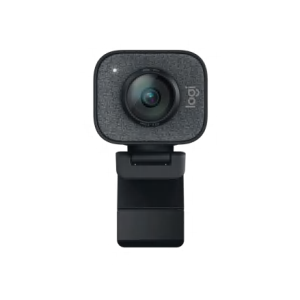
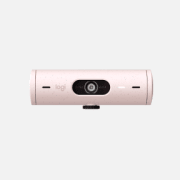
For portable HD video calling and recording—with autofocus.
HD 720p video calls
Enjoy widescreen HD video (720p) on most major IMs that support HD video calls.
Get closer with autofocus
You’ll enjoy razor-sharp video calls even in extreme close-ups (up to 7 cm).
Goes where you go
Slip it in your bag, purse, even your pocket—with its fold-and-go design, this webcam goes wherever you go.
With HD 720p video calling and recording, now you can share your HD world—anywhere, anytime.
HD video calls
You’ll get HD 720p video calling on most major instant messaging services.
Premium autofocus
Your images stay razor sharp, even in close-ups (up to 7 cm from the camera lens) with built-in autofocus.
Fold-and-go, plus-swivel design
It’s easy to slip it into your bag and take it with you. Plus, the 360-degree, full-rotational design makes calling and recording easier at any angle.
8-megapixel snapshots
You can take high-resolution snapshots at up to 8 megapixels (software enhanced).
Built-in mic with noise reduction
It gives you clear conversations without annoying background noise.
Auto light correction
Even if you make a video call in dim or poorly backlit settings, the camera will intelligently adjust to produce the best possible image.
IM compatibility
Works with Skype™, Windows Live™ Messenger, Yahoo!® Messenger and other popular instant messaging applications.
MAGIX photo organization and video editing software. Easy, smart and free with your Logitech webcam.*
|
You’ve said good-bye to shoeboxes full of photos and videocassettes. Now all your memories are stored on your computer. But with thousands of photos and videos, it can sometimes be difficult to find the one you want. And once you’ve found it, you might want to crop a photo to focus on your beautiful baby cousin’s face. Or cut those last few seconds of video where your sister’s perfect wedding cake somehow ends up on the floor. |
|
|
Get Hollywood.Using a webcam to record a video of your baby’s first words, a funny clip that you upload to Facebook™ or YouTube™ or a warm message to a loved one can be an art. It’s hard to figure out just when to stop—or start—recording to get the best video. There are editing programs out there, but they’re often very complicated, taking days to learn and offering lots of features most people will never use. That’s where MAGIX Video Easy comes in. The name says it all. This drag-and-drop home video tool makes it easy to cut, edit and combine videos to turn fleeting memories into indelible moments you’ll be able to return to again and again. The simple, easy-to-use interface makes editing an intuitive process rather than a chemistry project. Step-by-step instructions help you select the parts of your video that you want to include, then add a title and some music—you can even add transitions. And when your inner auteur is satisfied, it’s easy to upload your newest creation to YouTube. Next stop: Sunset Boulevard. Or Grandma’s living room. |
Get organized.Digital cameras and camera phones make it easy to capture the important moments in your life. The question, then, is how to make those photos and videos easy to find and share with your friends and family? MAGIX Photo Manager 9 does it all for you. After you’ve downloaded and installed the software on your PC, just connect your camera. Photo Manager will automatically import your photos and videos, and then organize them by date, time and place taken. It’s a snap to find just what you want—without the hassle of scrolling through thousands of thumbnails. Photo Manager also lets you do basic editing like cropping, eliminating red-eye and making small color corrections. In just a few minutes, your photos will be looking their best—just like the memories they capture. |
|
|
Get it now. (Because they’re free.)The best part? Both Photo Manager and Video Easy are free with your new Logitech webcam. |
RightLight™ 2 technology. Be seen in a better light.
Just the right lightVideo calls make it feel like you’re right in the same room with your family and friends. But if the lighting isn’t right, it might just feel like they’re talking to a shadow or a faceless ghost. |
About faceRightLight 2 technology identifies your face in the frame and uses that to determine the light and color settings. |
More light, less noiseLow light can be tricky for the average webcam. They generally only use software adjustments to increase the brightness, which means your video might be filled with digital noise that shows up as dark specks or digital garble. |
In contrastAdd a lot of rich color to low light and your typical webcam tends to get confused. All that saturated color adds extra weight to an already dark environment—often resulting in dark, flat images. On top of that, the camera introduces more noise by trying to create contrast where there isn’t much. |
FastAccess facial recognition software—serious data security that’s easy to use.
|
What did you do on your computer today? Pay bills? Check your account balances? Send e-mail? How many password-protected sites did you visit?
When your life is on your laptop or desktop, you need help to protect it. But security programs can be a hassle, taking time to install and use—and adding complications to your already busy life.
Want a better way? We hear you.
|
|
|
It’s simple.How does it work? We’re glad you asked. Setup is a snap when you have a Logitech webcam.
|
It's smart.FastAccess also lets your Logitech webcam detect when you leave your computer and can automatically lock your computer to prevent unauthorized people from getting access to your data. |
|
|
It automatically locks your computer.We’ve all got private information on our computers. Whether it’s confidential e-mails, account numbers or personal photos, you won’t have to worry about anyone getting into your computer while you’re running FastAccess with your Logitech webcam. If you’re in a public area, you can engage stronger security settings, automatically lock down your desktop when you step away or even create an access log that will record anyone who tries to get access to your computer. |
It’s convenient.Forgot your password? No problem. FastAccess minimizes the need to enter a password to log in and will often recognize you faster than you can type a password. What’s more, a scan of your face can automatically log you in to most websites that require passwords. |
|
|
It’s a no-brainer.Security’s important in today’s connected world—but so is convenience. A Logitech webcam with FastAccess facial recognition software can give you both. Sound good? Download FastAccess now, then use it for 15 days for free to see how it works for you (registration required; additional terms and conditions apply). * FastAccess requires registration. (Terms and conditions apply.) |
RightSound technology. So you sound like—you.
What’s that noise?Have you ever made a video call and thought that the person on the other end sounded unusual? That their voice was unnaturally flat? Or there was a strange distortion in their speech? |
Say good-bye to that humming soundTry this. Stop reading for a moment and just listen to the sounds in your room. (We’ll wait.) |
RightSound. Real difference.There’s a lot of talk about megapixels when it comes to webcams. But we know that a satisfying video call requires good sound quality, too. |
Image quality. It’s more than just megapixels.
|
Seeing the smile on your grandson’s face or the glitter off your daughter’s engagement ring is so much better than a phone call. And a webcam can really make these experiences possible, even when you’re separated by thousands of miles. But getting the right webcam is more than just a matter of finding the one with the most megapixels. |
|
The truth about megapixelsA higher-megapixel sensor doesn’t equal high-quality images on its own, so it’s important not to just look at megapixels and forget about the other aspects of the camera. |
The right lensThe lens is what captures the light that gets turned into the image by the sensor. If your lens isn’t good, it doesn’t matter how many megapixels you’ve got. A bad lens is going to give you a bad image. |
|
|
Maintaining focusReady for your close-up? You’re not only going to need a good lens—you’re going to need a good focusing system. A lot of webcams have either a manual focus option or no focusing system at all. If you get too close, you can end up fuzzy. |
What about HD webcams?When it comes to video calls, the maximum resolution is 640-by-480 pixels, otherwise known as VGA resolution. Today, you can’t make an HD video call on any of the free instant-messaging applications. See all webcams that can capture HD video. Find out why Logitech HD webcams offer so much more than HD. |
|
Power and connectionsMost computers sold today have no problem handling a video call. But if your computer is a little bit older or you’re not using a fast connection, you might run into difficulty. To get good clarity and smoothness, your computer needs to meet the minimum requirements to support a video call. |
Facebook-friendly. YouTube-ready. One-click HD uploading - It’s a snap.
|
A video of your baby. A pic for your parents. Your latest song. Or just your thoughts on the world. Social networking sites like Facebook™ have made it easier than ever to connect with the people you care about—but you need the equipment and know-how to do it. |
Hello, HollywoodShoeboxes full of photos and videocassettes are a thing of the past. Now all your memories are stored on your computer. |
|
Video Effects. Extra fun for your video calls.
Playing aroundLooking to add a little entertainment to your video calls? Logitech® Video Effects™ can really spice things up.
|
Make your moveThese aren’t just plain-old static effects. Video Effects technology uses face tracking to find your face and track its moves. Then it either maps a Face Accessory over your real face or completely replaces your video with an Avatar that moves like you. |
AvatarsFeel like being someone or something else today? You simply pick out a character and watch it become you. We’ve got an avatar for every mood and season. You can be a sock puppet, cat, alien, dollar bill, Santa, and lots of other people, animals, and things. |
Face AccessoriesWhen you want to be you with a little something extra, you can just put on a Face Accessory. You’ve got options galore, including a pirate hat, crown, scuba mask, vampire teeth, antlers, and a pig nose. Or you can put on a full mask. |
Fun FiltersReady for a new twist on the real you? Fun Filters apply photographic filters or manipulate your video in real time. You can transform into a comic book character, get all twisted, alter the colors, and more. |
Logitech Autofocus. The clear choice for clear video.
Bye bye, blurA lot of webcams out there want you to stay put. Move or get too close and the camera can have a tough time automatically focusing on you—even if it’s got a good lens. That can leave you looking hazy and out of focus. And that’s probably not the look you’re going for. |
Ready for your close-upWant to zoom in for a kiss? Or hold something up to the camera? Our autofocus system can handle it. It focuses in and out automatically with precision and speed—even if the item is only 10 cm from the camera. No choppiness. No blur. Just a clear, sharp image. |
How’d we do that?We used the same type of motor used in mobile-phone cameras, a voice coil motor (VCM), and optimized it for webcams. They’re compact, don’t use a lot of battery power, and can handle shock and vibration.
The lens moves back and forth to adjust focus until the webcam gives you the sharpest image possible. It also helps stabilize the webcam so your video and photos are in focus and have low distortion. So, you can go ahead and make your move. |
Logitech Fluid Crystal™ Technology. It’s what makes a Logitech® webcam better.
Logitech Fluid Crystal™ Technology. Smoother. Sharper. Richer. Clearer.What makes a Logitech® webcam better? |
|
Lighting up your video calls—in every situationYou probably make a video call in good lighting most of the time. When you do with a Logitech webcam—thanks to Fluid Crystal—your video will look smooth and sharp, rich and clear.
|
Not your average webcamThe quality of your video call depends in part on the quality of your webcam. Even if the lighting, the connection and the computers involved are ideal (and no one moves around much), any old webcam can make video calling a frustrating experience. And most of the time people use their webcams in less-than-perfect situations. Other webcams (for example, the one built into your laptop) try to adjust for poor lighting—but can produce choppy video, muted color and fuzzy images. |
|
|
Real difference for the real worldJoy. Laughter. Tears. There’s nothing like seeing your loved ones face-to-face. To be there—with the people you really care about, the people you work with, the people that you need to look in the eye, even though they may be on the other side of the world. |
|
* Requires installation of included software. |
System Requirements
-
General Requirements:
- Windows Vista®, Windows® 7 (32-bit or 64-bit) or Windows® 8
-
Basic requirements:
- 1 GHz
- 512 MB RAM or more
- 200 MB hard drive space
- Internet connection
- USB 1.1 port (2.0 recommended)
-
For HD 720p video calling and HD 720p video recording:
- 2.4 GHz Intel® Core™2 Duo
- 2 GB RAM
- 200 MB hard drive space
- USB 2.0 port
- 1 Mbps upload speed or higher
- 1280 x 720 screen resolution
Warranty Information
- 2-year limited hardware warranty
Package Contents
- Webcam with foot cable
- User documentation
Part Number
- PN 960-000715
Technical Specifications
- HD video calling (1280 x 720 pixels) with recommended system
- HD video capture: Up to 1280 x 720 pixels
- Logitech Fluid Crystal™ Technology
- Autofocus
- Photos: Up to 8 megapixels (software enhanced)
- Built-in mic with Logitech RightSound™ technology
- Hi-Speed USB 2.0 certified (recommended)
- Universal clip fits laptops, LCD or CRT monitors
Logitech webcam software:
- Pan, tilt, and zoom controls
- Video and photo capture
- Face tracking
- Motion detection
Webcam Support
Get the support you need to get the most out of your Logitech webcam. Logitech online resource can help with everything from installing or re-installing your software to updating drivers. Learn more
Buy two TV Cam HDs and Save $50
Skype now comes to life on your TV Learn More


Change Location