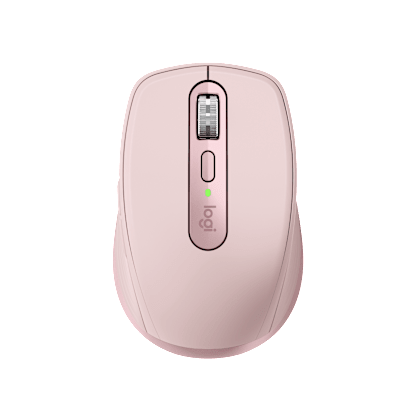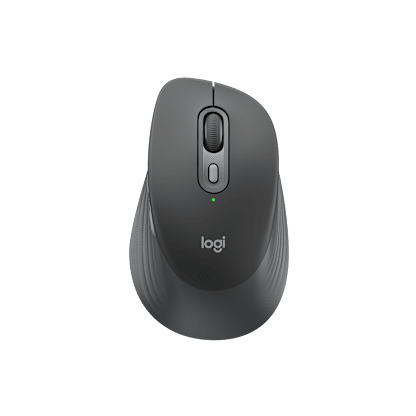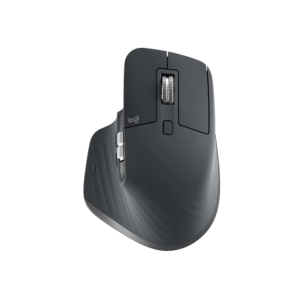
Our most powerful, feature-filled and comfortable mouse ever. If you’re serious about cursor control, this mouse puts high performance in the palm of your hand.
Track on glass
Tracks virtually anywhere—even on a glass desk—with Logitech Darkfield Laser Tracking™. Turn the world into your mouse pad.
Charge while you work (or play)
The versatile, micro-USB charging system charges your mouse through your computer or a standard outlet—even while you’re using it.
Connect with ease
You pop the tiny Logitech Unifying receiver in your notebook and leave it there. You can even add more devices. Plug it. Forget it. Add to it.
Do more with your Mac®
Designed to do more on your Mac than point, click and scroll. You can use your mouse to launch Mission Control, switch between apps and much more.
Laser tracking that works on virtually any surface and a tiny, leave-in wireless receiver put the power to achieve in your hand.
Darkfield Laser Tracking™
You get accurate, precise cursor control on virtually any surface, even glass tables (4 mm minimum thickness) where optical and standard laser mice fail. Turn the world into your mouse pad.
Logitech® Unifying receiver
The tiny receiver stays in your notebook. Plus, you can easily add a compatible wireless mouse or keyboard—without the hassle of multiple USB receivers.Learn more about the Unifying receiver.
Flexible recharging system
A micro-USB cable charges your mouse through your computer or a standard outlet—even when in use. You’ll always have the power you need to get the job done.
Hyper-fast scrolling
You’ll fly through documents and Web pages with a single spin. Click-to-click scrolling gives you the precision you need when navigating lists, slides, and images.Excited about hyper-fast scrolling?
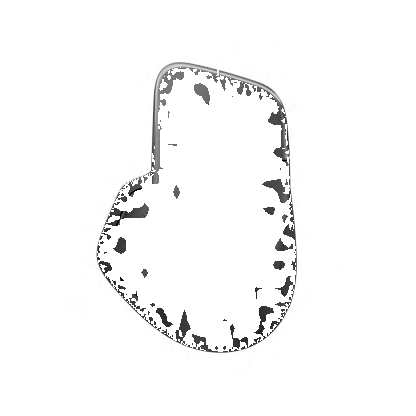
Sculpted, right-hand shape
Designed to fit your hand and put it in a comfortable, natural position.Comfortable hands like comfortable mice.
Four thumb buttons
Customizable thumb buttons help you do more, faster. Move backward or forward through Web pages, zoom in or out on photos, and jump between open windows.Change the cursor speed? Change the cursor? Change the programmable buttons? Find out more about SetPoint™ software.
Logitech® Darkfield Laser Tracking™
Now, your mouse works where others don't - even on glass.
|
You work and play all over the place—and that means you’re going to encounter all sorts of work surfaces. A glass desk or shiny table shouldn’t stand in your way. That’s why we created Logitech® Darkfield Laser Tracking™, featured in the Logitech® Anywhere Mouse MX™ and the Logitech® Performance Mouse MX™. Darkfield tracks on surfaces like clear glass* and lacquered desks that stump optical mice and standard laser mice. So now your mouse works wherever you do. |
|
|
|
It’s all in the details.Optical and traditional laser mice use irregularities in the surface to track the direction and speed of your mouse. The more irregularities on a surface, the easier it is for the sensor to track your movements. But use your mouse on a smooth, glossy surface like clear glass, and there just aren’t enough imperfections for your standard mouse to work. This is where Darkfield Laser Tracking comes in. Darkfield uses the smallest possible details to create a micro-road map of the surface—so you get better precision on more surfaces. |
|
|
Can this mouse do everything?Just about. Keep in mind, however, that we haven’t designed the first two mice with Darkfield Laser Tracking for gamers or for those working on laboratory-grade clean glass. If you’re making lighting-fast maneuvers and need gaming-grade cursor speed, take a look at the Logitech® G9x Laser Mouse. |
|
And if you’re working on exceptionally clean glass, you may have to wait until the dust settles. For surfaces with fewer than 44 microscopic details (per square millimeter) that are less than 5 µm wide and 1.5 µm thick—to give some context, a strand of human hair is about 100 µm wide—you may want to swipe your hand across the surface before using your mouse. But for everyone else, Darkfield Laser Tracking gives you precise cursor control on virtually any surface—even glass. *At least 4 mm thick. |
Logitech® Unifying receiver
|
Plug it. Forget it. Add to it. You’ve got the Logitech® Unifying receiver. |
|
And it’s easy to add a compatible wireless keyboard or mouse to the same receiver. Build your ideal combo. Add something. Replace something. It’s as simple as can be and you’ll use only one USB port. |
Uniting your setupYour laptop is convenient. You use it on the couch, in the kitchen, at the coffee shop—wherever you want. Logitech makes your laptop as comfortable as it is convenient with portable mice and notebook-ready keyboards. |
Plug it inWith the tiny wireless receiver, there’s no need to plug and unplug when you’re on the move. Or deal with the hassle of multiple receivers. The tiny Logitech® Unifying receiver stays in your notebook and lets you add devices as you need them. |
Forget about itThe Unifying receiver is small and always ready. So small, in fact, you can leave it plugged into your USB port when you’re on the move—without worrying about breaking or losing it. |
Add to itIt’s fast and easy to add a compatible wireless mouse, keyboard, or number pad to your receiver. You can mix, match, upgrade, or replace up to six devices—now or in the future—using just one USB port.
To connect a new device, you simply open the connection software, click “Pair new device”, and turn the device off and on. That’s it. |
A tiny dynamoThe Unifying receiver packs plenty of power. Built with Logitech® Advanced 2.4 GHz wireless connectivity, Logitech mice with the Unifying receiver give you the reliability of a cord—with the freedom of cordless. You’ll enjoy fast data transmission with virtually no delays or dropouts. |
Compatible with Logitech® Unifying receiversLooking for a mouse or keyboard (or number pad) that is Unifying compatible? We’ll help you find the right one. |
Hyper-fast scrolling
One spin is all it takesScroll. Lift finger. Repeat. And repeat. And repeat. |
Scroll a lot?Your spreadsheets and documents are getting longer. Your digital photo and music libraries are bursting at the seams. And you’re glued to long Web pages that have you scrolling and scrolling and …. To get through it all, you’re doing a whole lot of scrolling. We’re talking 26 feet of it in your average eight-hour day, according to a Logitech study. |
From zero to line 10,000 in 7 secondsWhen you need to do some long-distance scrolling, hyper-fast scrolling unleashes the speed demon inside. What’s going on under the hood? The ratchet-scrolling mechanism you’re used to retracts so the wheel can spin with virtually no friction. |
|
Mice you can get comfortable with
It all adds upDo you spend a lot of time with your mouse? Repeating the same hand and arm movements over and over again hundreds, if not thousands, of times a day? Even the littlest difference in design can make a big difference in your comfort. |
A natural fitIf your hand had a choice in the matter, it would naturally take the angle of a handshake when your arm is bent. |
A better gripYou lift and move your mouse again and again, all day long. If it’s hard to hold, it’s going to put a little extra strain on your hand. But don’t worry—we added non-slip rubber grips to many of our mice to increase friction and make it easier for you to hold and grab your mouse without squeezing. |
All about anglesExtending your wrists and flexing your fingers for hours may not feel so good. That’s why we make low-profile mice that reduce the angle you need to extend your wrist. And we carefully place controls so that most hands can use them without flexing fingers more than 45 degrees. |
Navigating to comfortComfort features aren’t the only ones that help your hand out. If you can get where you want to go faster, your hand does less work. Less work equals more comfort. |
|
Want more time-saving controls that can save your hand, too? Side-to-side scrolling plus zoom, application switching, and Forward and Backward buttons all help you do more things with less effort. |
Smooth movesIs your mouse fighting your moves? We’ve got mice with slick, low-resistance feet that allow them to glide more smoothly than your average mouse. When your mouse resists less, you don’t need to work as hard. |
The easy trackYou can even choose a mouse that doesn’t make you move very much at all. A trackball mouse stays in one place—you just move the ball with your finger or thumb. Plus, customizable buttons help you do more, more easily. |
SetPoint™ Software. Your mouse gets personal.
A mouse makeoverYour mouse gets the job done. It clicks. It scrolls. It gets you where you want to go. It might even do some fancy things—like zoom or flip documents. |
|
If you have SetPoint, open it by clicking on the SetPoint icon (it’s the tiny mouse and keyboard in your tray, if you’re running Windows®). Or, you can select Logitech>Mouse and Keyboard>Mouse and Keyboard Settings from the Windows Start menu |
Your buttons, your wayGot a button you just don’t use? You can change its function to suit your needs. Maybe your mouse has a zoom button, but you’d prefer to use it for document flipping. Here’s all you need to do: With some mice, like the MX™ Revolution and VX™ Revolution, you can even assign different functions to a button for different programs. |
Pointer powerYour cursor is under your control with SetPoint. To move the way you want to, you can change the pointer speed and acceleration, turn on pointer trails, and enable Smart Move to automatically move the pointer to the default button in dialog boxes. In some cases, it also lets you adjust the scrolling speed. |
Get ready for game timeGamers, we’ve got a little something for you in there, too. You can enable game detection and choose game mode settings that give you the competitive edge. |
Got juice?Is the end near for your batteries? It’s easy to find out—you just click the Mouse Batteries tab to see how they’re doing. With some mice, it will even let you know how much time they’ve got left. Need more help? Get step-by-step instructions for your mouse. |
System Requirements
-
Windows-based PC
- Windows® XP, Windows Vista®, or Windows® 7
- CD-ROM drive or Internet connection
- USB port
-
Mac® computer
- Mac OS® X 10.4 or later
- CD-ROM drive or Internet connection
- USB port
Warranty Information
- 3-year limited hardware warranty
Package Contents
- Logitech® Performance Mouse MX
- Micro-USB charging cable
- AC power supply
- Pouch for charging system
- USB receiver
- Receiver extender cable
- CD
- Quick-start guide
- Tips guide
Part Number
- PN 910-001105
Logitech Wireless Solar Keyboard K760
The powered-by-light, wherever-you-go keyboard for Mac®, iPad® or iPhone®. Discover more
Need help with your Performance Mouse MX?
Download the latest software, get answers to your questions, troubleshoot problems and more. Visit our support site


Change Location