Why are remote work mandates on the rise?
Until a few weeks ago, the remote work discussion revolved around work-life balance, productivity and earning the commute.
On March 27, the conversation changed.
Tensions in the Strait of Hormuz are disrupting the passage of oil and LNG shipments, driving volatility in energy prices. Governments around the world are seeking ways to bolster supply and lower costs for consumers. Many are also looking to reduce demand to stretch limited fuel reserves. The European Commission has urged member states to encourage reduced driving and flying, and also promoted a shift towards remote work. Europe is not alone – countries as diverse as Laos and Ethiopia have taken similar steps.
The directive is clear: if you can work from home, you should.
In these parts of the world, working from home has become a part of the response to a rapidly changing geopolitical landscape – and a new energy crisis.
As the International Energy Agency (IEA) points out, the math is compelling. According to their report, Sheltering from Oil Shocks, “Road transport accounts for around 45% of global oil demand, ranging from a third in Korea up to two-thirds in some countries in Europe and Latin America… Commuting accounts for between 5% and 30% of car activity across regions. As not all jobs are suitable for working from home, at the national level, three additional remote working days, for those whose jobs allow for it, could reduce oil consumption from cars by 2%-6%. If an average individual driver shifts from no teleworking to three remote days in a five-day workweek, their personal car oil consumption could be reduced by up to 20%.”
A shift to remote work for even a few days a week can measurably reduce a nation’s oil consumption. But moving a workforce home creates a practical friction that many offices haven’t yet solved. If people stay home to save fuel, but their meetings are inefficient or their technology fails, that remote work becomes a productivity trap.
This is where the role of quality desktop technology moves from a “nice-to-have” to essential infrastructure for the modern economy.
Reducing the need to “go in”
During this energy-saving push, the goal is to make the digital experience so effective that the physical commute feels unnecessary. Consider the common pain points that drive people back into the office:
- The “Can you hear me?” cycle: Distorted audio leads to repeated questions and lengthened meeting times.
- Visual fatigue: Poor lighting and low-quality video, exacerbated by embedded laptop webcams, make it harder to read non-verbal cues, increasing the cognitive load of a video call and making long meetings exhausting.
- Setup complexity: If it takes ten minutes to connect your headset or adjust your camera, the temptation to abandon the digital meeting for a physical one grows.
- Discomfort: Low-quality mice and keyboards can cause wrist pain over the long-term.
When the technology is consistent – audio is crisp, the video is clear, and the gear works the moment you plug it in, regardless of whether you’re using Microsoft Teams, Zoom, or Google Meet – the barrier to “going remote” drops. Reliable hardware turns a video call from a compromised workaround into a genuine, productive workspace.
How to build the perfect work-from-home setup for your employees
The market is full of desktop peripheral options, and the choices can be daunting. Creating an exceptional workplace isn’t a one-size-fits-all challenge. It’s a dynamic puzzle as unique as each employee. One person’s perfect setup might be another person’s productivity roadblock.
The pressure is on IT and employee experience teams to equip employees with tailored peripherals that empower them to do their best work comfortably and efficiently.
But curating these solutions isn’t just about handing out hardware—it’s about blending strategy, innovation, and practicality. From understanding roles and responsibilities to evaluating workflows, the key is finding that sweet spot where comfort meets collaboration and productivity thrives.
Here’s where to start: Determine which type of employee you’re providing tools for.
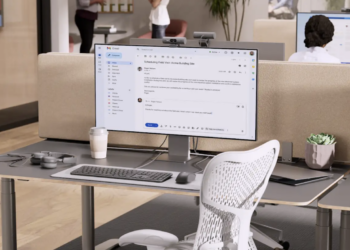
Power User: Developers, creatives, senior managers, and executives don’t just need tools—they need peripherals that deliver top-tier performance. These powerhouse professionals demand precision and control at their fingertips that also stands up to the grind of all-day use. Consider MX Keys for Business keyboard, MX Master 4 for Business mouse, Zone Wireless 2 headset, MX Brio 705 for Business webcam.

Constant Collaborators: For knowledge workers, sales pros, business managers, and anyone who thrives on teamwork and communication, collaboration isn’t just part of the job—it’s the heartbeat of their workday. These professionals need tools that keep up with their fast-paced, connection-driven workflows and enhance productivity rather than slow it down. Consider Signature Slim Solar + K980 for Business keyboard, M650 for Business mouse, Zone Wireless 2 ES for Business headset, Brio 505 webcam.

Comfort-Conscious Employees: Comfort-conscious employees value tools that are thoughtfully designed to match their needs—combining reliable performance, easy usability, and personalized fit. With ergonomic solutions, these employees can conquer their workday while feeling great and staying at their best, all in a workspace that prioritizes their health and happiness. Consider Wave Keys for Business keyboard, Lift for Business mouse, Zone Vibe Wireless headset, Brio 305 webcam.

The New Realities of Connectivity
Even before the Strait of Hormuz conflict, some estimates say that roughly 25-30% of paid workdays globally were performed remotely or in a hybrid arrangement. We are entering a phase where the remote office is being treated with the same seriousness as the corporate boardroom. Indeed, Logitech published a study that highlighted the reality that WFH employees are underequipped, compared to their in-office counterparts.
For years, companies invested heavily in the physical office to boost productivity. Now, as the energy crisis forces that investment into the home, the focus should extend to providing the best possible tools for remote employees.
In an energy-scarce environment, we need reliable digital alternatives to physical travel. If a workforce is going to sustain this remote model for the sake of fuel conservation, the tools they use cannot be the weak link.
As countries across Asia, Europe, and Latin America mandate remote days to conserve fuel, the invisible success factor will be how well companies and governments can remove the typical work-from-home barriers. Remote work tech quality is a silent partner in the global effort to keep the lights on and the fuel in the tanks, and in that equation, the tools that sit on the desk become just as important as the electricity powering the grid.
- Global Shift to Remote Work: Nations Implement Flexible Arrangements
- PM orders strict WFH for state agencies amid energy crisis (Thailand)
- Malaysia Introduces Work-From-Home Policy Amid Energy Crisis
- Malaysia to Introduce Work From Home For Government Workers From April 15
- Brussels pushes remote working to ease energy crisis
- IEA: a 10-point plan to cut oil use
- The Right Tools for the Right Job: Power Up Productivity with the Perfect Peripherals