Logitech
Business
logi BLOG
  • Company
    • Innovation & Design
    • Sustainability
  • Product
    • Business
    • Education
    • Gaming & Streaming
    • Music
    • Personal Work Solutions
  • Release Notes
    • Enterprise Software Updates
    • G Cloud Updates
    • GHub Updates
No Result
View All Result
logi BLOG
  • Company
    • Innovation & Design
    • Sustainability
  • Product
    • Business
    • Education
    • Gaming & Streaming
    • Music
    • Personal Work Solutions
  • Release Notes
    • Enterprise Software Updates
    • G Cloud Updates
    • GHub Updates
No Result
View All Result
logi BLOG

Introducing Logi Tune 2.0 (Now with Logitech webcam support)

by Logitech
February 25, 2021
in Enterprise Software Updates, For Business, Personal Work Solutions, Release Notes
Reading Time: 3 mins read

This week, we are launching Logi Tune 2.0 – and yes, we’ve added support for webcams!

More than a year ago, we launched Logi Tune software alongside our Zone Wireless and Wired headsets to provide you with easy, customizable features to make your headset your own. Today, we’re introducing new features and compatibility with webcams on Logi Tune. With video framing, color presets, and one-click updates on Logitech webcams, Logi Tune can be your “all-in-one tool” for personalizing your favorite collaboration devices. We hope you enjoy it and encourage you to try Logi Tune software to customize the way you use your Logitech headsets and webcams!

Download Tune 2.0 if you haven’t yet →

  1. Support for webcams

Tune 2.0 now supports Logitech Brio, C930e/c, C925e. C920e/c along with headsets that already worked with the software such as Zone Wired and Wireless. ? + ?
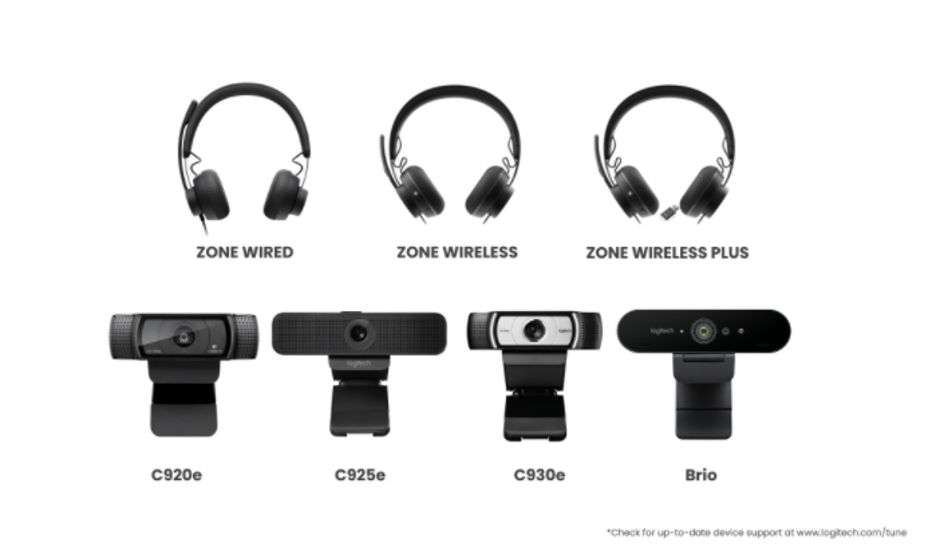
[We will keep adding support for more devices regularly, Check for supported device here ]

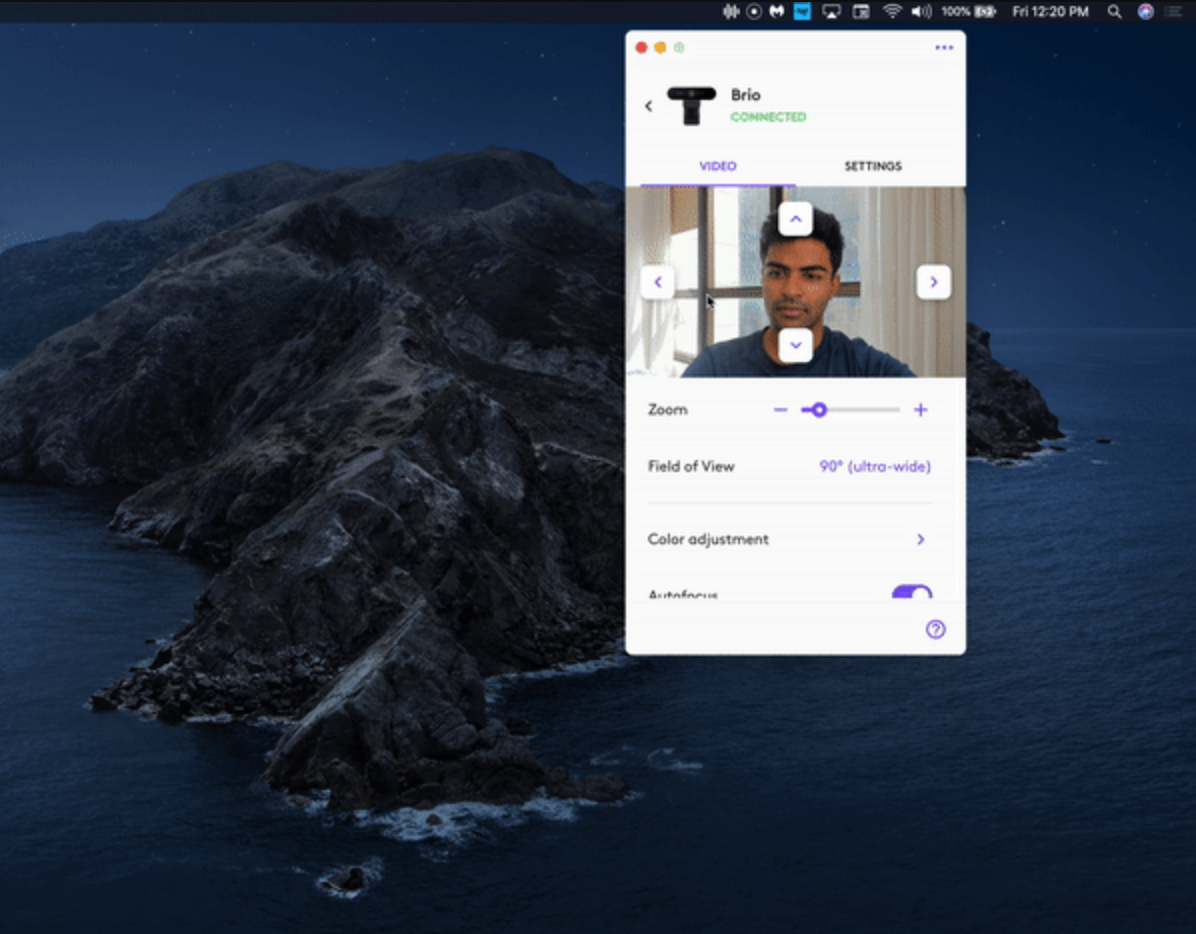
  1. Set your frame ◀️ ▶️

Focus on what matters! With this new update, features like zoom, tilt or pan on your webcam frame is quick and easy.
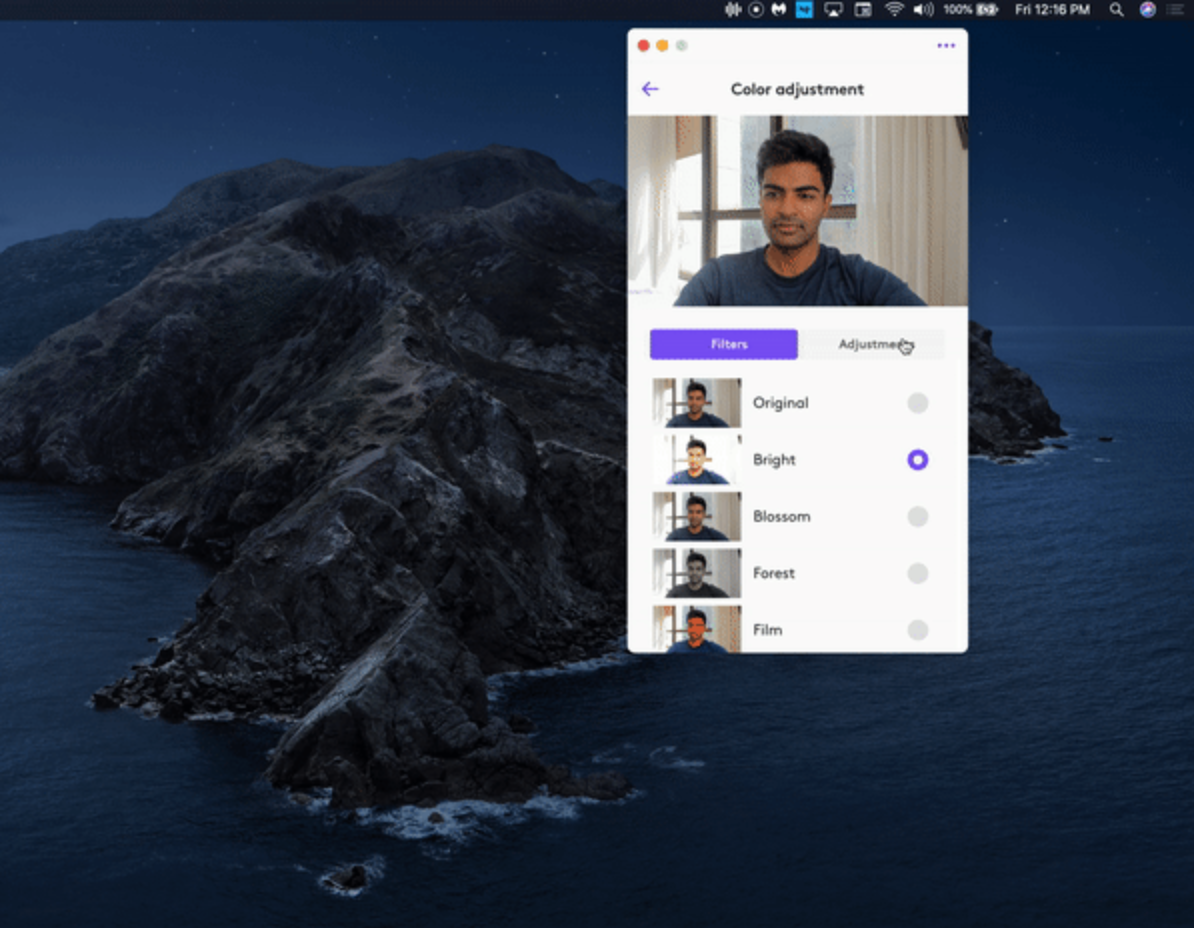
  1. Color filters & image adjustments ??

Filters make it easier to adjust how you look on your calls! You can adjust it to your liking using the image adjustment tab.
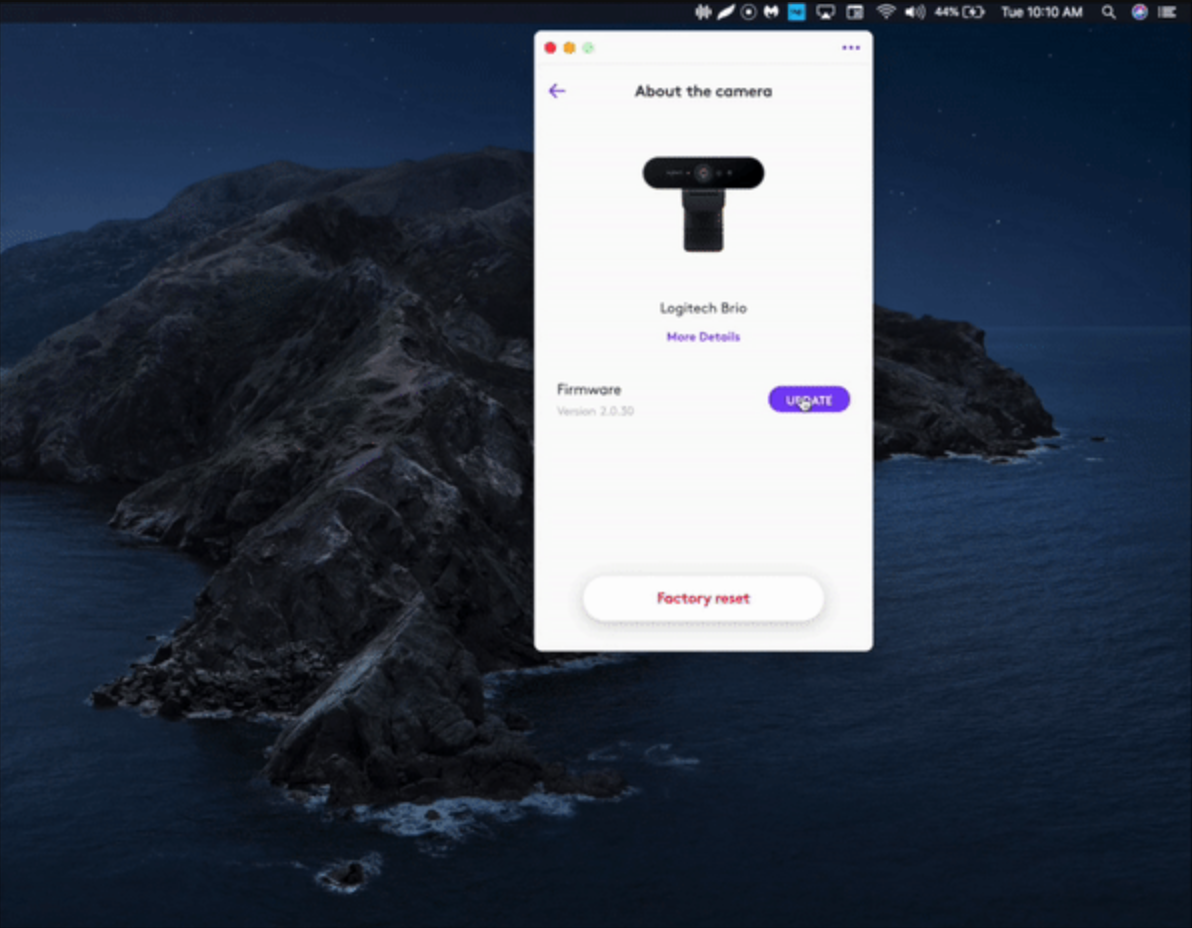
  1. Simple One-click update ?

For both your headset and webcam, it’s just a click to update all your devices.
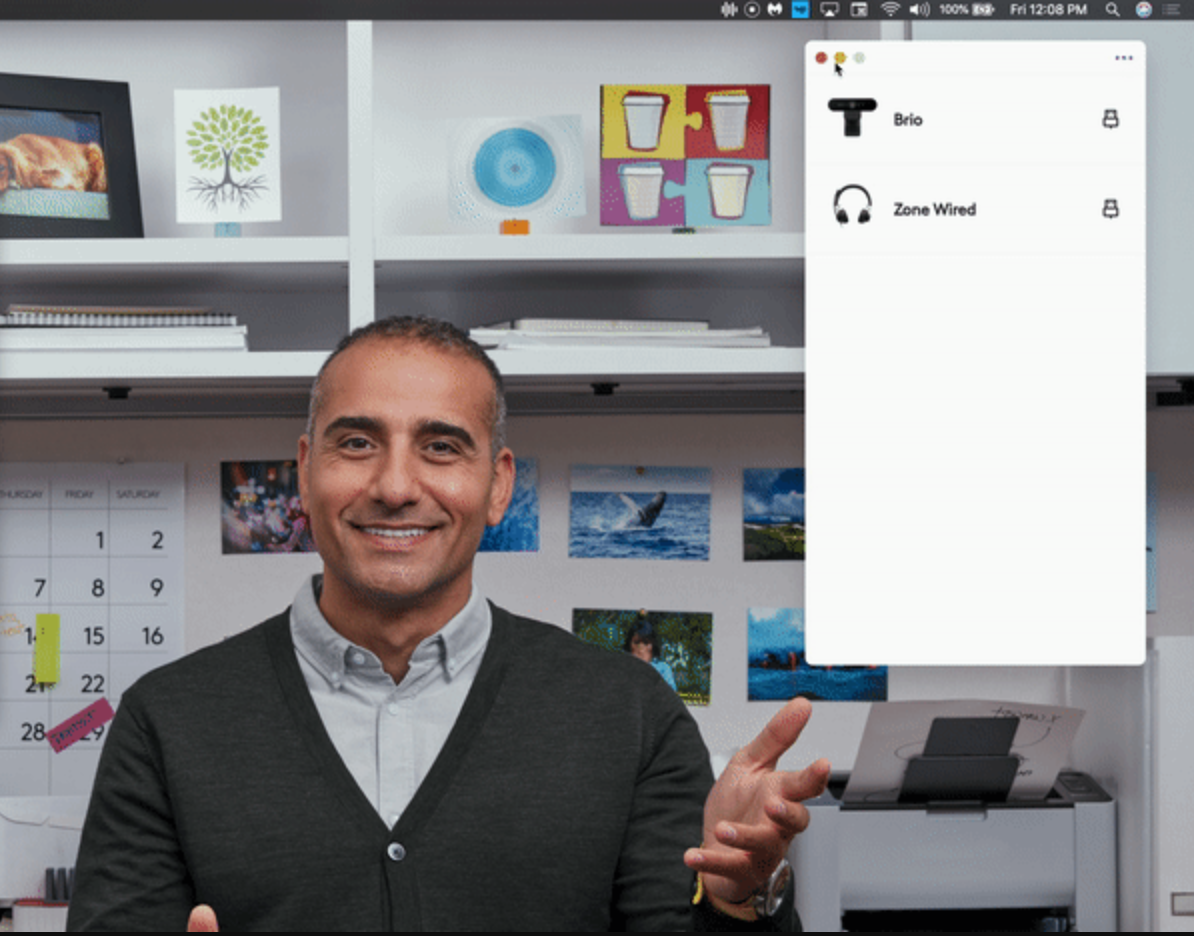
  1. Designed to be non-obtrusive ?

Tune 2.0 includes a mini-app that is designed to be used without disrupting your flow; you can access Logi Tune on your taskbar while you are on a call and make adjustments to your devices.
  1. Built to be scalable ⚡️

With deployment packages, it is easy to provide Tune software across your organization using existing deployment tools like the Microsoft System Center Configuration Manager (SCCM).
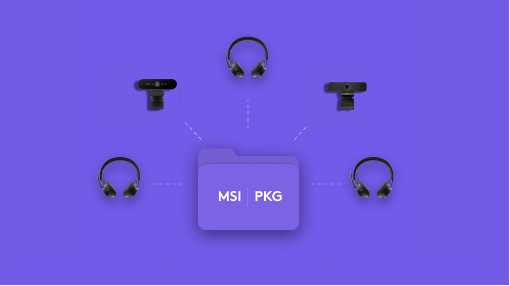
 

Learn more about deployment & configurations options →

With a more streamlined look and feel, and compatibility with webcams, plus new features, Logi Tune 2.0 is now available to help personalize your favorite collaboration tools and scale across businesses. 

Download Tune 2.0 today!

ShareTweetShareSend

Related Posts

#TeamMatcha or #TeamCoffee: Claim Your Desk Vibe
Personal Work Solutions

#TeamMatcha or #TeamCoffee: Claim Your Desk Vibe

September 29, 2026
2025 Logitech Partner Awards: Recognizing Innovation and Impact
For Business

2025 Logitech Partner Awards: Recognizing Innovation and Impact

June 12, 2025
5 Essential Habits for Transitioning From College to Your First Desk Job
Personal Work Solutions

5 Essential Habits for Transitioning From College to Your First Desk Job

August 12, 2026
Personal Work Solutions

A Mini World 2021 Giveaway

December 30, 2020
Leave Comment

Recent News

4 Ways to Make Your Logitech Products Last Longer

4 Ways to Make Your Logitech Products Last Longer

October 16, 2026
What Years of Freelancing Taught Me About Collaborating  on a Design with Logitech

What Years of Freelancing Taught Me About Collaborating on a Design with Logitech

October 15, 2026
From Meeting Rooms to Mission Readiness: The Next Generation of Government Collaboration

Bringing the Next Generation of Collaboration to Healthcare

October 8, 2026
From Meeting Rooms to Mission Readiness: The Next Generation of Government Collaboration

From Meeting Rooms to Mission Readiness: The Next Generation of Government Collaboration

October 8, 2026

About

  • About Us
  • Contact Us

Policies

  • Privacy Policy
  • Terms Of Use

Copyright © 2026 by Logitech

Linkedin Facebook-f Twitter Instagram
No Result
View All Result
  • Company
    • Innovation & Design
    • Sustainability
  • Product
    • Business
    • Education
    • Gaming & Streaming
    • Music
    • Personal Work Solutions
  • Release Notes
    • Enterprise Software Updates
    • G Cloud Updates
    • GHub Updates

© 2024 Logitech - Logitech Blog Logitech.