
By David Harpur & Mohamed Abokersh
In 2025, the battery replacement guide for our MX Master 3 mouse received a ‘moderate’ rating for ease of repair from iFixit, a global community of people helping each other repair things. The repair required 30-45 minutes and a workstation cluttered with at least 12 different tools and parts.
We weren’t satisfied with that rating. A core part of our Designing for Sustainability (DfS) principles, which guide our product teams towards lower-impact, more circular design solutions, is repairability. This remained a priority when designing the next generation mouse, MX Master 4, and it led to exposed screws for easier repairs and access to spare batteries.
Now, an assessment on the exact same platform for the MX Master 4 rated the repairability as ‘easy’ with an expected timeframe of 10-20 minutes and only two items needed – the replacement battery and one screwdriver.
This kind of improvement over time is a core part of our DfS practices. International Repair Day is coming up on October 17, but keeping tech alive for the long haul is something you should think about every time you sit down at your desk.
At Logitech, circularity is a core part of how we design, manufacture and support our products. And we’re continuing to explore day 1 repair readiness and battery repair coverage across products.
Repair is not sitting at the edge of our business. It’s becoming a company capability, a core part of how we work.
Every extra year a mouse, keyboard or headset stays on a desk instead of being disposed of or replaced is a positive step to reducing impact on the planet. Here are four ways you can extend the life of your Logitech gear to keep your setup running smoothly.
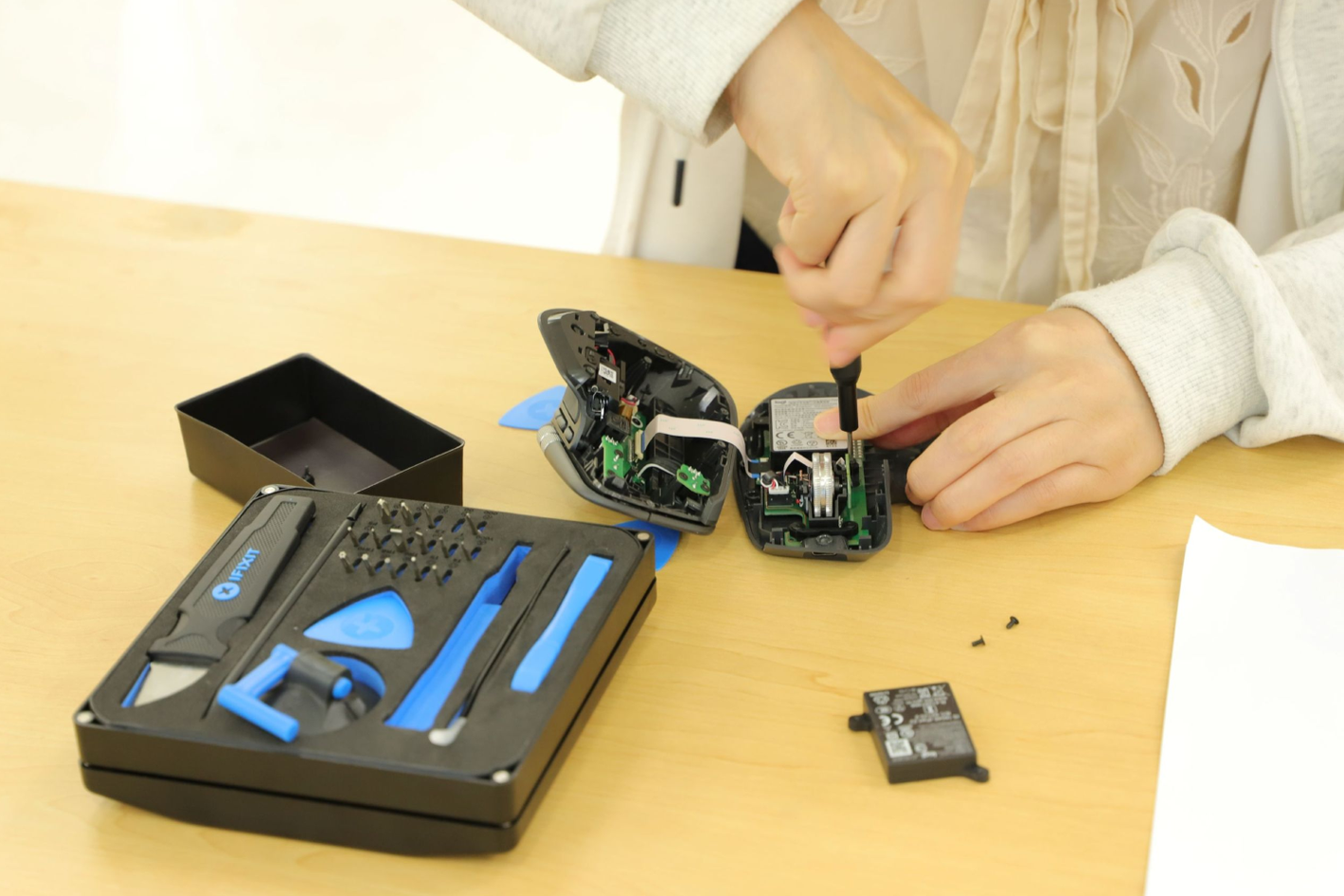
1. Access spare parts and repair guides with iFixit.
When your mouse no longer glides smoothly across your desk or your headset doesn’t stay charged throughout a long meeting, you may be tempted to throw away gear that is otherwise in great shape.
Now, you can access spare parts and step-by-step repair guides across 69 Logitech product lines through our partnership with iFixit. There are 133 repair guides available and repair hubs covering 75 countries.
 2. Optimize device longevity with software.
We’ve built ways to adjust product settings in our Logi Options+ and G HUB software that can help extend the life of your device, whether that is protecting battery health or reducing power consumption between charges.
For headsets like the G522 LIGHTSPEED Wireless Gaming Headset, you can cap the battery charge at 80% within G HUB. This helps to extend battery longevity and encourage longer product use. And within Logi Options+, you can adjust backlight settings on keyboards to cut down on power consumption and stretch the time between charging your device.
3. Explore professional repair services.
Not everyone feels comfortable opening up their devices at home. In select countries, we have designated hubs where you can send your Logitech product in for repair.
In Europe, our authorized partner Fixit provides end-to-end device assessment and repair services to keep your gear working longer. In China, customers can access dedicated repair support through our partner AKL to conveniently handle product maintenance and repairs.
4. Choose products designed for repair.
Using our Design for Sustainability principles, repairability is increasingly factored into product design from the start as is evident by some of our recent products. So if repair is not practical or available for your device and you need to replace, here are a few choices you can make for products that you can repair down the line if needed:
- MX Master 4 features exposed Phillips-head screws on the base that makes it easy to access the battery for repair and there are official repair guides to assist. Spare parts are also available in some regions.
- The ear cushions and head strap on Zone Wireless 2 ES is designed to be replaceable, as is the battery so you can refresh and extend the life of this headset.
- The plastic case and internal design for Signature Slim Solar+ were optimized from the start to come apart easily, without reinforced adhesives or non-removable clips.
We are proud to be enabling repair in some of our product lines, but acknowledge that we have more to do in this space. The focus for circularity at Logitech in the near future is to extend the range of products that have repair guides, extend the range of spare parts available and expand our refurbishment programme significantly.
You can visit our repair hub which outlines the repair options available for devices or download G HUB and Logi Options+ to optimise device performance through software.
About the Authors: David Harpur leads Logitech’s Design for Sustainability team, where he embeds circularity into how products are designed, built and supported. Mohamed Abokersh leads the Circularity Program at Logitech, creating easier access to a repairability ecosystem for Logitech products and customers.