Learning on today’s campus happens across classrooms, remote sessions, overflow spaces, faculty offices, study rooms and other shared environments. Supporting learning everywhere means creating a seamless experience across those scenarios, with technology that can adapt to how and where people are learning.
That flexibility can get complicated quickly. Different buildings, room types and platforms can leave faculty with inconsistent experiences and AV and IT teams managing systems that do not always work smoothly together. That challenge is reflected in Logitech and AVIXA research, which identified interoperability problems across systems as one of the top three challenges higher education institutions are facing.
Logitech’s next generation of collaboration solutions brings more powerful and flexible collaboration technology, simpler deployment and management, and more consistent experiences across the spaces where teaching and learning happen. Four new solutions bring that approach to higher education: Rally Bar 2, Rally System 2 Pro, Tap IP 2 and Tap Scheduler 2.
Bring Clearer Collaboration to Everyday Learning Spaces
For students and faculty, classroom technology should make it easier to stay focused on teaching and learning. Students need to be able to see and hear what is happening clearly, while faculty need technology that works within the flow of instruction.
Rally Bar 2 builds on the previous generation with a new 1-inch imaging sensor and an ultra-wide field of view and RightSound 3 audio processing, helping deliver clearer, more flexible collaboration across small to medium classrooms, faculty offices and other campus spaces. AI-powered framing helps create a clearer view of participants, while improved audio processing is designed to strengthen voice intelligibility for people in the room and those joining remotely.
Rally Bar 2 also works across Microsoft Teams, Zoom and Google Meet environments. For AV and IT teams, new auto-provisioning through Logitech Sync can preconfigure device settings and help bring rooms online faster during larger deployments.
Expand Coverage Across Larger and More Complex Spaces
Rally System 2 Pro brings video and audio to different campus environments, from classrooms to overflow spaces, so learning scales wherever it happens.
Students and educators still need to see, hear and engage clearly throughout the space, while AV and IT teams need a system that can adapt to the room.
Rally System 2 Pro is designed for these more complex campus environments. Its modular approach allows institutions to adapt camera and microphone coverage based on the size, layout and use of the space, helping learners and educators stay connected even in larger or more complex rooms.
Multiple cameras and microphones can extend intelligent framing and audio into spaces that need more flexible coverage than a standard video bar can provide, while remote management can help reduce the hands-on work required to keep those environments operational.
Create a Consistent Way to Start Classes and Meetings
Instructors and administrators may move between classrooms, meeting rooms and other shared spaces throughout the week. Having a familiar way to get started can make those transitions easier.
Tap IP 2 is designed to make advanced room technology feel simple, giving instructors and administrators a consistent, one-touch way to start a class or meeting across compatible Logitech collaboration environments. Whether a room is built around Microsoft Teams, Zoom or Google Meet, the controller provides a familiar interface for joining sessions and accessing controls such as content sharing, mute and camera settings.
For AV and IT teams, new auto-provisioning can help get rooms online faster, while Logitech Sync provides centralized device management. Tap IP 2 also maintains compatibility with existing Tap mounting accessories, which can simplify controller upgrades in spaces where those mounts are already installed.
Make Campus Spaces Easier to Find and Reserve
Learning everywhere also depends on being able to find and use the right space at the right time. Across a busy campus, knowing what is available can save time and reduce scheduling friction for students, faculty and staff.
Tap Scheduler 2 builds on the previous generation with brighter status lighting that makes room availability easier to see from farther away, along with an ultra-responsive touchscreen display that lets people reserve spaces on the spot.
Tap Scheduler 2 can also work with occupancy sensing from compatible room devices, or with Logitech Spot in non-video spaces. That gives institutions another way to extend real-time room availability across classrooms, study rooms and other shared campus facilities.
For facilities teams, greater visibility into space availability and utilization can also help inform how shared environments are managed over time.
Build a More Consistent Foundation for Learning Everywhere
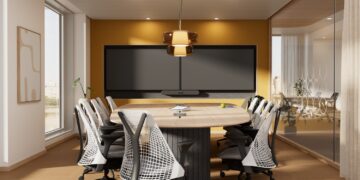
A seminar room, lecture hall, study space and overflow classroom each serve different purposes. The technology in those spaces can reflect those differences while still giving students, faculty and staff a familiar experience across campus.
With Rally Bar 2, Rally System 2 Pro, Tap IP 2 and Tap Scheduler 2, Logitech is giving higher education institutions more powerful and flexible ways to simplify collaboration, create consistent experiences across different spaces and build a foundation that can evolve as teaching and learning needs change.
To learn more about the full announcement and Logitech’s next generation of collaboration solutions, click here.