Government buying season is underway, and for many agencies, technology that drives collaboration and productivity is back on the agenda. Conference rooms are being refreshed. Shared workspaces are becoming more common. Teams are looking for technology that’s easier to deploy, easier to support and consistent across offices and spaces.
It’s easy to get caught up comparing features and specifications. The better conversation starts with a few practical questions.
Whether you’re upgrading a single meeting room or planning broader workplace modernization, these four questions can help guide technology purchasing decisions this buying season.
1. Does the solution meet necessary procurement requirements?
Every government technology purchase begins with procurement requirements. Depending on the agency and the purchase, there may be several to consider.
For collaboration technology, one of the most common is the Trade Agreements Act (TAA), which establishes country-of-origin requirements for certain U.S. government purchases.
For many government buyers, that’s simply part of doing business.
Meeting procurement requirements won’t tell you whether a product is the right long-term fit, but it does answer an important first question. Starting with TAA-compliant options helps agencies move through the purchasing process with greater speed and confidence and allows more time to be spent evaluating the technology itself.
2. Will the solution work with the technology we already have?
This is where the conversation becomes much more interesting.
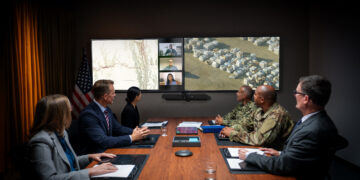
Most agencies aren’t buying collaboration technology for a single room. They’re adding to an existing environment that includes conferencing platforms, management tools and devices already in use across the organization.
Compatibility matters because complexity adds up quickly.
Our recent research with 200 federal technology leaders found that compatibility with existing tools is one of the most important considerations when evaluating collaboration technology. More than half also said their current conferencing systems increase the time and resources needed for troubleshooting.
If every new deployment creates another exception for IT to manage, those costs continue long after the purchase order is signed.
3. Can we standardize for consistency and efficiency?
Anyone who has walked into three different conference rooms and found three completely different meeting experiences knows how quickly inconsistency becomes frustrating.
Standardization isn’t just about making rooms look the same. It helps employees know what to expect and gives IT fewer systems to support.
Federal agencies are already moving in that direction. One-third of the technology leaders we surveyed said their organizations are taking steps to standardize meeting room technology.
The more consistent the experience, the less time people spend troubleshooting technology and the more time they spend getting work done.
4. What will this experience look like six months from now?
The easiest part of a technology purchase is buying it.
The harder part is living with it.
Will employees be able to walk into a room and start a meeting without thinking about the technology? Will IT be managing a reliable system or responding to another stream of support tickets? Will the solution still fit as more rooms and locations come online?
Those are the questions that determine whether an investment continues delivering value over time.
Looking beyond the purchase
TAA compliance remains an essential part of government buying, and for good reason. It helps agencies identify products and solutions that meet applicable procurement requirements and move forward with confidence.
But compliance is only one part of a much bigger decision.
The strongest technology investments also consider interoperability, consistency, ease of management and the day-to-day experience for the people using the technology.
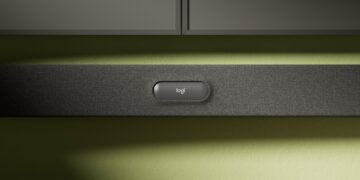
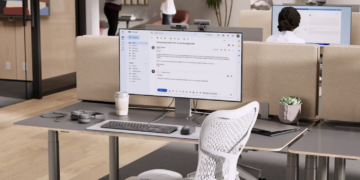
That’s the approach Logitech takes to its government portfolio. As agencies continue to modernize collaboration spaces, Logitech is expanding its portfolio of TAA-compliant solutions. Recent additions include MeetUp 2, the M240 wireless mouse and Logitech’s first-ever TAA-compliant headset, the H390 USB headset, giving agencies more options to standardize technology across meeting rooms and personal workspaces.
Before your next purchase…
Bring these four questions to the table:
✓ Does the solution meet applicable procurement requirements?
✓ Will it work with the collaboration platforms we already use?
✓ Can we standardize around it across rooms and locations?
✓ Will it make life easier for employees and IT six months from now?
The answers to those questions often matter long after the procurement process is complete.
+++
For more information on Logitech’s solutions for government, please visit www.logitech.com/government or email federalquestions@logitech.com.