Explore video tutorials to get started with MX Master 4, as well as tips and tricks to expand the potential of your MX Master 4.
Get started with MX Master 4
How to customize your device
How to transfer your settings
MX Master 4
What’s new
Explore how the MX Master 4 can transform your productivity. From advanced updates to powerful customization options, dive into everything you need to maximize productivity and take control of your workflow like never before.
MX Master 4 software features
Explore the customization, productivity, and control options offered by Options+ with MX Master 4.
What is Haptics?
Learn how to experience immersive tactile feedback when performing specific actions with the MX Master 4.
Customizing Haptics on MX Master 4
Learn how to enable, disable, and adjust haptics intensity on MX Master 4.
Mastering the Actions Ring
Learn how to efficiently use the Actions Ring, a dynamic customizable overlay that brings your most used tools, and actions at the tip of your cursor.
How to Use Easy Switch
Learn how to use Easy Switch to effortlessly toggle between up to 3 devices with Actions Ring and MX Master 4.
Streamline tasks with Smart Actions
Learn how to set up and use Smart Actions to automate repetitive tasks with one click of your MX Master 4.
Navigating the Marketplace
Learn how to explore, access and utilize the Marketplace effectively and discover new plugins, profiles and more for your MX Master 4.
Precision you can feel with Haptic Feedback
Experience tactile feedback, offering precision and customizable control* for an immersive workflow. It lets you feel vibrations during actions like connecting, switching computers, using gestures, or navigating the Actions Ring. Exclusive to the MX Master 4, expand the use of haptic feedback with plugins from the Logi Marketplace. You can customize haptic feedback using Logi Options+.
*Requires Logi Options+ app, available for Windows and macOS at app.logi.com
Save up to 33% of your time with Actions Ring shortcuts and MX Master 4
Your favorite tools, shortcuts, and actions at the tip of your cursor through a dynamic overlay that adapts to the app you’re using. Reduce mouse movements by up to 63% and streamline navigation by cutting time from searching menus for shortcuts, tools, and actions to stay immersed in your workflow.
Tailor your Actions Ring with plugins for third-party apps and personalized shortcuts, tools, and actions designed for your workflows.
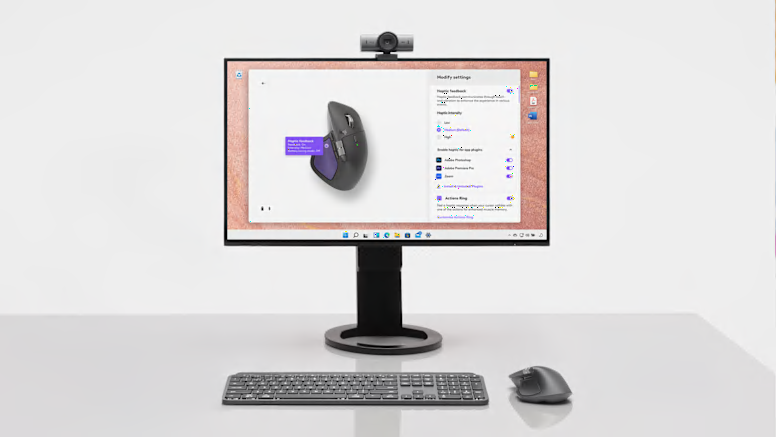
Discover More with Options+
Unlock the full potential of your MX Master 4 with the Options+ shortcuts and customizations. Discover additional features, app-specific customizations, and powerful plugins to enhance your workflow. From productivity tools to creative enhancements, tailor your mouse to fit your needs.


