Understanding Xbox Headsets
Xbox headsets vary in terms of compatibility and connectivity, specs, and design. Comparing features and specs can help you select the best Xbox headset based on your gaming style.
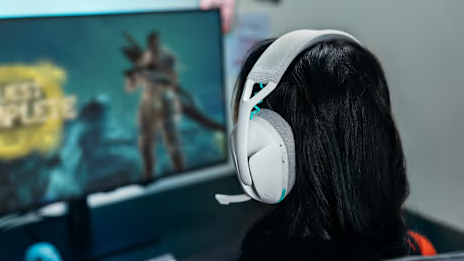
A good Xbox headset keeps you comfortable, immersed in the game, and in constant contact with your squad. Whether you’re listening for the footsteps of a sneaky enemy or making crucial call-outs, you need a headset that’s up to the task.
Looking to get a competitive edge over your opponents? This guide contains everything you need to know about Xbox headset specs, compatibility, and care tips. Dive in to learn more about Xbox headsets and discover top Xbox headset recommendations from Logitech® G.

Xbox headsets vary in terms of compatibility and connectivity, specs, and design. Comparing features and specs can help you select the best Xbox headset based on your gaming style.
Wired Xbox headsets are easy to connect, and you don’t have to worry about charging your headset or replacing the batteries in the middle of a match. Wireless headsets give you more freedom at the cost of a limited battery life.
Headsets that are designed for the Xbox One are typically compatible with the Xbox Series X|S, and vice versa.
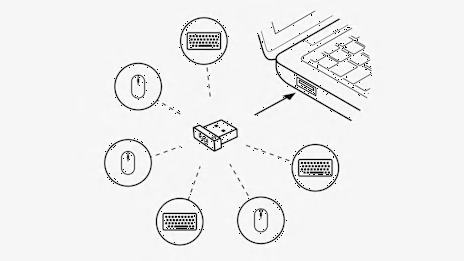
Some headsets, including the Astro A30 LIGHTSPEED, connect to your Xbox using a LIGHTSPEED USB receiver. LIGHTSPEED wireless technology minimizes lag, so you can hear gunfire and other audio cues before it’s too late.
Key specs for Xbox headset audio quality include driver design, surround sound, and Dolby Atmos compatibility. Larger drivers can offer fuller bass and louder volumes, and surround sound allows you to hear which direction footsteps or gunfire are coming from. Pinpointing enemy footsteps and gunfire helps you get a jump on your enemies.
Frequency response is also important for audio quality. A wide frequency response range allows you to hear low bass and high treble sounds, giving you enhanced clarity for competitive play.
A good Xbox headset microphone is vital for competitive play. Clarity and noise cancellation help you communicate clearly with your teammates in the heat of battle. Detachable microphones allow you to use your headset as a pair of headphones when you’re not gaming.
Xbox headsets should fit comfortably, with enough cushioning for long-lasting wear, an adjustable headband, and compatibility with glasses. Ear cushions and headband padding are typically made from breathable memory foam or soft fabric.
Lightweight headsets are ideal for long gaming sessions. Whether you’re running a marathon stream or sweating in a competitive tournament, heavier headsets can lead to discomfort. Weight distribution is also important—the weight of your Xbox headset should be balanced to prevent irritation and fatigue.
Open-back Xbox headsets are more breathable, allow you to hear some ambient sound, and generally have a wider sound stage. Noise-canceling headsets block out ambient sound so you can stay focused on your game.
Communication is crucial in competitive play, so you need an Xbox headset with a high-quality microphone. Whether you’re strategizing for the next round or calling out an enemy’s location, your mic should clearly pick up all your chat.
Boom mics generally offer better sound quality, but they’re bulkier than built-in mics. Most gamers prefer to use an Xbox Series X headset with a boom mic for clear party chat.
With adjustable mic monitoring, or sidetone, you can hear your own voice even when you’re using noise-canceling headphones—so you don’t have to worry about chatting too loudly and annoying your squad or the people around you.
Convenient volume and mute controls let you control your headset without taking your focus off the game. Some Xbox headsets have a flip-to-mute microphone, while others have mute controls built into the cable or on the ear of the headset.
You can connect your Logitech G Xbox wireless headset using a wireless receiver. Plug the LIGHTSPEED USB receiver into an open USB port on your Xbox console. Make sure the transmitter is flashing green, indicating it’s in Xbox mode. Hold the power button on your headset to turn it on. Your headset should automatically connect to your Xbox.
If your Xbox headset connects via 3.5mm jack, simply plug the headset into your controller and you’re ready to game.
On Xbox One, you can press the Xbox button and go to the “System” tab, then select “Audio & Music” to change headset settings. On Xbox Series X|S, press the Xbox button, go to Profile & system > Settings, then select Devices & connections > Accessories. Choose your headset from the list of devices to access the settings.
If your Xbox headset is dropping connection or won’t connect, disconnect the headset and try reconnecting it. If your mic isn’t working or you can’t hear game audio, check the controls on your headset and your Xbox settings to make sure your headset and mic are enabled.
Xbox headset maintenance can help extend the life of your gaming headset. Ear cushions, mic covers, and headband padding can be gently cleaned with a damp cloth to remove dust. Store your headset in a safe place when you’re not using it, and avoid bending the cable too much to prevent cable damage.
Xbox wireless headset batteries are typically designed to last for hundreds of charging cycles. Overcharging your Xbox headset can reduce the lifespan of the battery. Keep an eye on your headset and make sure you’re not overcharging it when you’re AFK.
Check for firmware updates regularly to keep your headset up to date. You can use Logitech G HUB to check for firmware updates.
Selecting the best Xbox headset from Logitech G depends on your budget, how you want to connect, and which features you’re looking for. Whether you’re looking for the best Xbox wireless headset or a simple wired headset, the Logitech G lineup has several options.
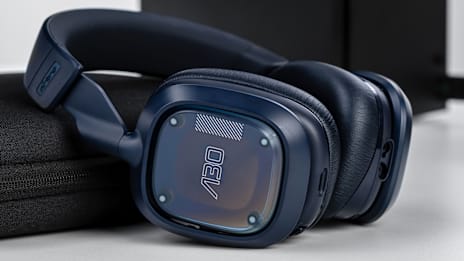
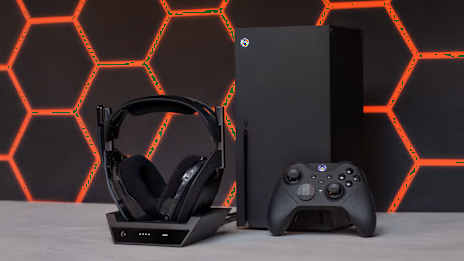
The Astro A50 (Gen 5) offers premium audio quality with Dolby Atmos Support, allowing you to fully immerse yourself in your favorite games. The long-lasting battery can keep up with all-night gaming sessions, and the wireless charging dock makes it easy to charge your headset. If you’re looking for a balance of performance and comfort, the Astro A50 (Gen 5) is hard to beat.
The Logitech G PRO X 2 gaming headset uses an ultra-low latency LIGHTSPEED connection that’s ideal for competitive gaming. Advanced BLUE VO!CE microphone filters offer crystal-clear comms, and the lightweight design is great for esports play. With a wireless range of up to 30 m, you can get up and stretch between matches without worrying about disconnecting.
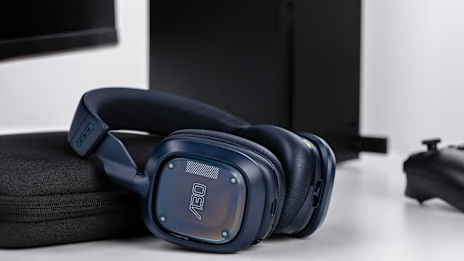
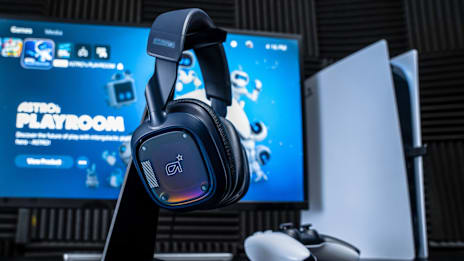
The Astro A30 LIGHTSPEED offers cross-platform connectivity, including Xbox, PC, and mobile support. The compact, stylish design is great whether you’re gaming with your squad or catching up on podcasts while traveling. The A30 also supports game/chat mixing, so you can hear your squad’s comms clearly without drowning out footsteps or gunfire.
Comfort is crucial for long gaming sessions, and the Astro A20 is one of the most comfortable Logitech G Xbox headsets. Plush ear cushions and balanced weight distribution offer long-lasting comfort, and the 15+ hour battery life is ideal for long sessions.
The Logitech G335 is an affordable wired headset with plush ear cushions and an adjustable headband for maximum comfort. This is a great Xbox headset if you’re on a budget.
If you want your G335 to match the rest of your gaming setup, you can choose between black, white, or mint colors.
The Astro A50 X LIGHTSPEED combines the premium sound and comfort of the Astro A50 with ultra-low latency LIGHTSPEED technology. Astro Command Center software gives you total control with equalizer presets, microphone settings, and more.
A good Xbox headset can help you immerse yourself in the game and communicate with your squad without sacrificing comfort. Choose an Xbox headset that fits your gaming style, budget, and comfort preferences.
Check out the Logitech G store for more details and exclusive offers on the headsets featured in this guide.